
Šta da prioritezujete prema veličini kancelarije i fazi rasta
Infrastruktura kancelarije treba da se razvija u skladu sa veličinom kompanije.
Standardizujte prave slojeve u svakoj fazi rasta kako biste osigurali da kancelarija ostane upotrebljiva sada i skalabilna kasnije. Prevođenje ovih prioriteta u jedan, strukturisan skup zahteva pretvara planiranje kancelarije iz niza nepovezanih odluka u ponovljiv model sloj po sloj.
Faza kancelarije | Šta da prioritezujete | Zašto sada |
<5 zaposlenih | Osnovni pouzdani hardver i jednostavno rešenje za kafu | Uspostavljanje funkcionalne polazne osnove bez prekomernog trošenja |
20–40 zaposlenih | Standardni laptopovi i dok-stanica; jedna pouzdana hibridna soba; praktična tačka za kafu | Brzo uklanja svakodnevne poteškoće bez preteranog ulaganja |
40–100 zaposlenih | Usklađeni standardi radnih stolova; 2–3 pouzdane sale za sastanke; bolja kafa i hidratacija | Gustina korišćenja raste i male neefikasnosti počinju da se umnožavaju |
Brzo skaliranje ili više lokacija | Replicirani model radnog mesta u različitim lokacijama; centralizovana logika podrške | Izazov se menja: umesto kupovine pojedinačnih predmeta, radi se o ponavljanju standarda |
Mini-primer: kompanija od 25 ljudi može neko vreme da se snađe sa jednom premium salom za sastanke i jednom jednostavnijom salom za prenatrpanost. Kompanija od 90 ljudi sa hibridnim rukovodiocima odeljenja to ne može. Druga kompanija ne kupuje dodatnu udobnost; ona kupuje kontinuitet.
Osnovni elementi za timove mlađe od 5 godina
U ovoj fazi, vaša postavka treba da omogući funkcionalnu autonomiju. Radi se o izgradnji profesionalne osnove u kojoj sve jednostavno funkcioniše, omogućavajući osnovnom timu da ostane u toku.
Fokus: Uložite u "bezkompromisnu" osnovu: pouzdani hardver i premium plug-and-play rešenje za kafu koje običan odmor pretvara u vrednu poslovnu pogodnost.
Prednost: Podržavajuće, promišljeno okruženje omogućava vam da se u potpunosti fokusirate na proširenje svoje vizije bez tehničkih smetnji ili svakodnevnih odvraćanja pažnje.
Cilj: Uspostavite profesionalnu osnovu koja čini kancelariju pouzdanim resursom od prvog dana.
Standartizacija za 20–40 zaposlenih
Ovo je uzbudljiv prelazak na čistu operativnu osnovu. Ujedinjenjem infrastrukture sada pretvarate kancelariju u besprekoran alat koji se bez napora širi zajedno sa vašim timom.
Fokus: Uvođenje ujednačenih doking stanica, namenjene hibridne sale za sastanke i kafe-stanice velikog kapaciteta obezbeđuje dosledno, visokokvalitetno iskustvo za sve.
Prednost: Prelazak na ponovljiv model čini uvođenje novih zaposlenih jednostavnim i smanjuje opterećenje službe podrške, omogućavajući menadžmentu da se fokusira na rast.
Cilj: Kreirati radni prostor u kojem infrastruktura "nestaje u pozadini", ostavljajući vaš tim slobodnim da radi svoj najbolji posao.
Reprezentativni rasporedi za tim od 20–40 osoba•
20–25 zaposlenih: standardni poslovni laptopovi i unificirani dokovi, 1 pouzdana hibridna sala, 1 praktična stanica za kafu.
• 25-35 zaposlenih: isti standard za stolove, plus 1 jednostavnija prostorija za višak za interne sinhronizacije i uvođenje u posao.
• 35-40 zaposlenih: uži standardi dodatne opreme po ulogama, veći kapacitet kafe, i planirana hidratacija kao trajna zajednička pogodnost.
Proširenje izvrsnosti: infrastruktura za 40–100 zaposlenih
U ovoj fazi kancelarija se razvija u sistem visokog učinka. Cilj je da se eliminišu male varijacije koje oduzimaju vreme menadžmentu, obezbeđujući da svaki sto, svaka prostorija i svaka pogodnost pružaju dosledno, premium iskustvo.
Fokus: uskurivanje standarda za radne stolove, diverzifikacija tipova prostorija i uvođenje robustne infrastrukture za prostorije za odmor radi visokog dnevnog propusnog kapaciteta.
Prednost: Ovde standardizacija zaista donosi rezultate. Ujedinjeno okruženje čini uvođenje novih zaposlenih besprekornim i čini radno mesto smišljenijim i za vrhunske talente i za klijente.
Test pouzdanosti: Obratite pažnju na "izbegavanje prostorija". Ako timovi zaobilaze određene sale za sastanke ili stanice za kafu zbog nepouzdanosti, kancelarija već gubi vrednost zbog nedoslednosti.
Reprezentativna podešavanja za tim od 40–100 osoba •
40–60 zaposlenih: standardizovani sloj radnih stolova, 2 pouzdane sale za sastanke i skalirana usluga kafe i vode.
• 60–80 zaposlenih: mešavina od 3 sale sa jasnijim ulogama prostorija, boljom raspoloživošću i većom propusnošću prostorije za odmor.
• 80-100 zaposlenih: stroži standardi za radne stolove po ulogama, 3 pouzdane sale plus dodatni kapacitet gde je potrebno, i priključena hidratacija sa kafom većeg kapaciteta.
Poslovna informatika i mobilnost: Kako standardizovati sloj radnih stanica
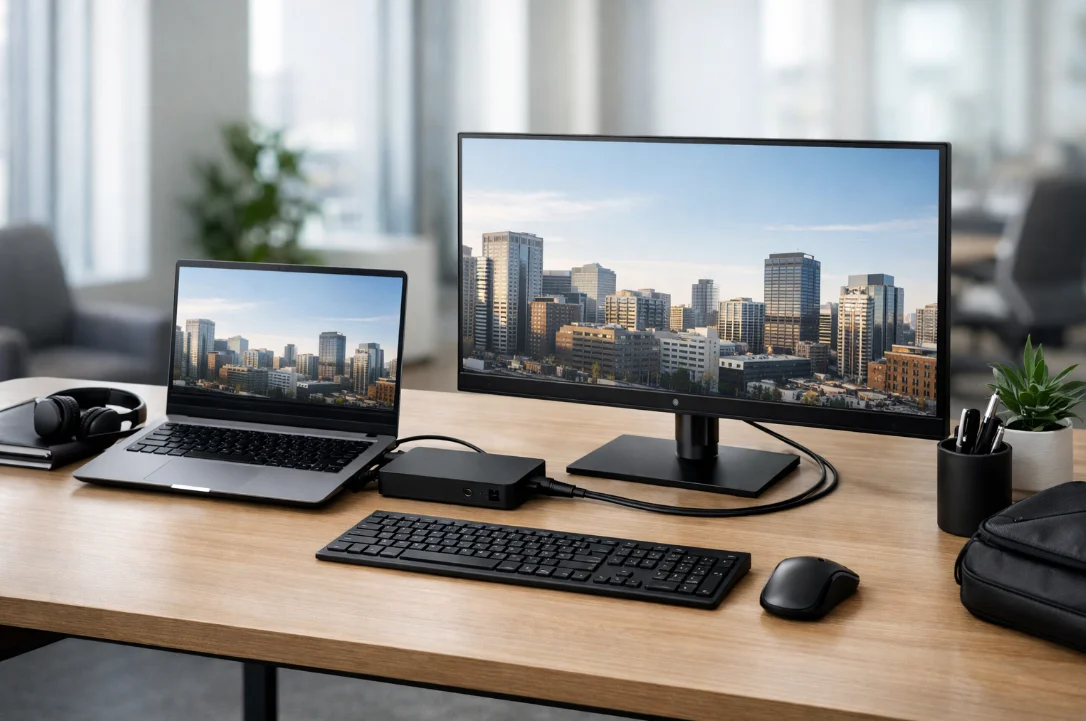
Za većinu savremenih kancelarija, poslovno računarstvo je prvi operativni sloj radnog mesta. Ono oblikuje dnevnu produktivnost, mobilnost i pouzdanost zajedničkih radnih stanica, čineći temelj skalabilnog kancelarijskog okruženja.
Kako izgleda jaka početna osnova
Čvrsta osnovna konfiguracija radne stanice obično obuhvata nekoliko odluka koje zajedno funkcionišu:
Računari: desktop uređaji poslovne klase odabrani zbog izdržljivosti, usaglašenosti port-konfiguracije i dugoročne stabilnosti životnog ciklusa, a ne samo po početnoj ceni.
Laptopi: sve-u-jednom opcija za rad usmeren na mobilnost, koja kombinuje prenosivost, ugrađenu povezanost i veb-kameru za rad. Za mnoge timove, [biznis laptopi] su praktičan izbor za fleksibilan rad.
Monitori: Profesionalni displeji koji obezbeđuju vizuelnu udobnost i doslednu povezanost u celoj kancelariji.
Tastature i miševi: Ergonomske periferne uređaje koji poboljšavaju udobnost zaposlenih i dnevnu produktivnost.
Tableti: mobilna rešenja rezervisana za specifične slučajeve upotrebe kao što su rad na terenu, prezentacije ili digitalni potpisi.
Doking stanice i dodaci: Ujednačen standard povezivanja koji čini prelazak između različitih radnih zona trenutnim i intuitivnim.
Kako se rad sve više premešta između kuće, kancelarije i zajedničkih prostora, poslovno računarstvo treba da podrži besprekorne prelaze, a istovremeno da kompanijama pruži fleksibilnost da prilagode opremu različitim ulogama, od dizajnera kojima su potrebne veće vizuelne performanse do računovođa i administrativnih timova koji se oslanjaju na stabilne, praktične radne stanice.
Reprezentativne opcije
poslovnog računarstva• Timovi koji daju prednost mobilnosti: poslovni laptopovi, jedinstvena USB-C ili Thunderbolt dok-stanica i standard od 1–2 monitora na radnim mestima.
• Uloge na radnom mestu: laptopovi stalno priključeni na dok-stanicu ili kompaktni desktop računari kada je mobilnost sekundarna, a stabilnost tokom čitavog životnog veka važnija.
• Korisnici sa zahtevima za visoke performanse: mobilne radne stanice ili desktop računari sa višim specifikacijama, koji se po mogućstvu koriste u okviru istog modela periferije i podrške.
Sale za sastanke i saradnja: Kako olakšati vođenje sastanaka
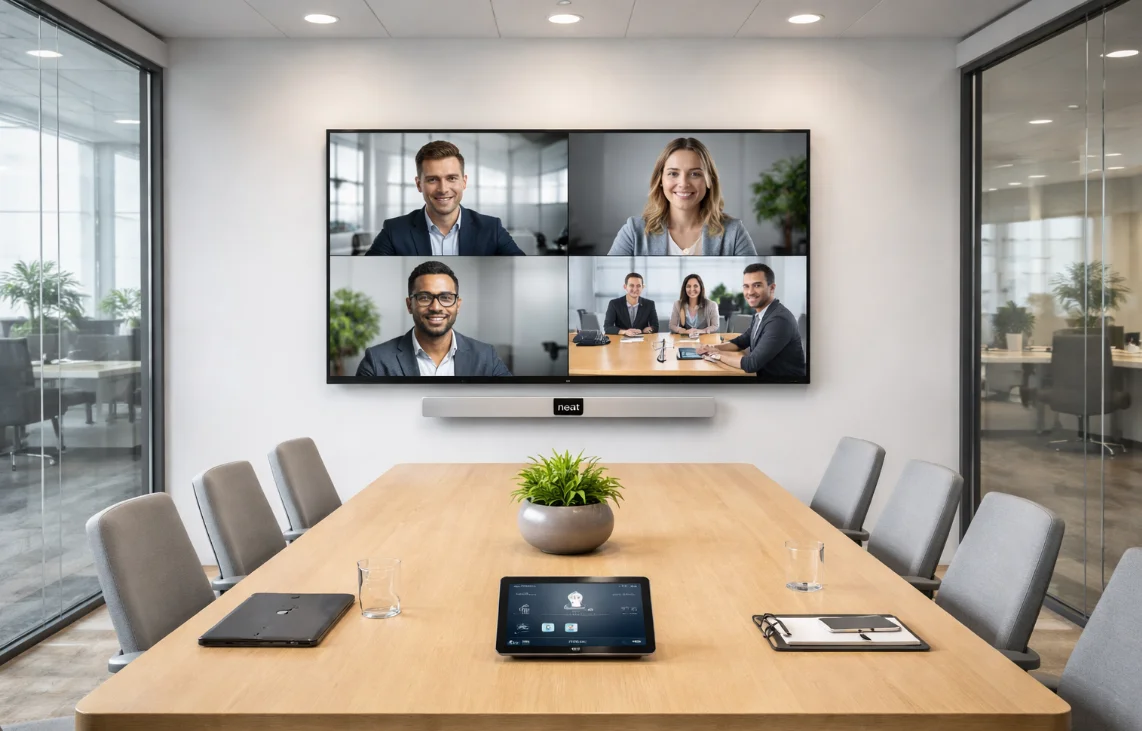
Profesionalna sala za sastanke brzo definiše kvalitet kancelarije. Kada audio, video i postavka prostorije funkcionišu bez prepreka, saradnja deluje lakše i pouzdanije. Zato sale za sastanke treba da funkcionišu kao posvećeni radni alati, a ne kao improvizovane kombinacije laptopova, adaptera i ekrana.
Kako izgleda čvrsta osnova za sastanke
Pouzdan standard prostorije obično kombinuje nekoliko slojeva:
Kontrolna oprema: Centralizovani tač-paneli i interfejsi koji omogućavaju brzo pokretanje sastanka, eliminišući ponovljeno prebacivanje kablova i probleme sa ručnom detekcijom displeja.
Namenjeni sistemi za sale: Rešenja dizajnirana za zajedničke prostore, uključujući opcije kao što je Neat, gde su pojednostavljena kontrola i jasno kadriranje učesnika prioritet.
TV i displeji: Ekrani odgovarajuće veličine za prostor kako bi učesnici na daljinu i zajednički sadržaj ostali vidljivi svima u prostoriji.
Zvučni i audio sistemi: Profesionalni mikrofoni i zvučnici koji održavaju jasan razgovor bez eha ili pozadinske buke.
Internet povezanost: čvrsta mrežna osnova sa dovoljnom propusnošću i stabilnošću za neprekidan video saobraćaj.
U savremenom kancelarijskom prostoru, sala za sastanke je čvorište sa velikim prometom. Ako timovi gube prvih pet minuta svakog sinhronizacionog sastanka zbog prebacivanja kablova, konfuzije pri prijavljivanju ili podešavanja zvuka, standard prostorije ne obavlja svoju ulogu.
Uspeh u ovoj kategoriji zavisi od prelaska sa "kupovine opreme" na "implementaciju sistema".
Primer
posvećenih prostornih sistema• Hibridna prostorija za 6–10 osoba najbolje funkcioniše kada se kamera, mikrofoni, zvučnici, ekran i kontrole tretiraju kao jedan fiksni prostorni sistem, a ne kao dodaci oko laptopa.
• Praktični test je jednostavan: bilo koji zaposleni treba da može da uđe, tapne jednom i počne poziv bez menjanja kablova ili rešavanja problema sa ulazima.
Primerne opcije
za sale za sastanke• Mala fokusna soba: video-bar, ekran i priključivanje jednim dodirom za brze unutrašnje i spoljne pozive.
• Glavna hibridna soba: posvećen sistem za sobu, ekran odgovarajuće veličine, stoni mikrofoni i stabilna žična mrežna povezanost.
• Soba za rukovodstvo ili klijente: čišće kadriranje, jači snimak zvuka i standardizovane kontrole za vidljivije sastanke.
IT infrastruktura i povezivost: Sistemi koji održavaju neprekidan rad kancelarije
Najvažnija infrastruktura u kancelariji često je najmanje vidljiva.
Infrastruktura je osnovni sloj hardvera, softvera i mrežnih resursa koji se mora planirati kao sastavni deo modela radnog mesta, a ne kao tehnička zakrpa.
Kada je ovaj sloj besprekoran, on ostaje nevidljiv, a istovremeno obezbeđuje da svaki sto, prostorija i uređaj ostanu pouzdani i bezbedni.
Šta obuhvata čvrsta infrastrukturna osnova
Serveri i radne stanice: Osnovni hardver koji podržava korporativne aplikacije i dnevnu produktivnost.
Skladištenje podataka i kapacitet centra podataka: Fizička i virtuelna arhitektura potrebna za bezbedno upravljanje podacima i visoku dostupnost.
Operativni sistemi i oblačni servisi: softverska okruženja i skalabilne platforme koje obezbeđuju dosledan pristup preko uređaja i lokacija.
Mreža i povezivost: bezbedan Wi-Fi, žični LAN i brzi internet koji eliminišu mrtve zone i podržavaju video saobraćaj velike gustine.
Pripremljenost za zajedničke uređaje: Podrška za štampače, multifunkcionalne uređaje i stanice za punjenje koje ostaju dostupne bez stalnog rešavanja problema.
Ovaj sloj dokazuje svoju vrednost u svakodnevnom kretanju između radnih mesta, poziva i zajedničkih prostorija.
Stabilna tehnička osnova čini prelaze glatkim, dok nedoslednost izaziva ponavljena mala kašnjenja.
Ključni korak u planiranju je da se rano definišu standardi za mrežu, pristup, podršku uređajima i zajedničke uređaje, kako bi od samog početka podržavali model radnih stolova i salona za sastanke.
Reprezentativna infrastruktura i opcije
povezivanja• Osnovna polazna osnova: bezbedan Wi-Fi i žični LAN, pouzdan internet, oblačni identitet i upravljanje krajnjim uređajima koji obezbeđuju dosledan pristup.
• Rastući kancelarijski prostor: segmentirana mrežna logika, podrška za zajedničke uređaje, kontrola pristupa i bolje planiranje propusnog opsega za sale za sastanke.
• Lokacija sa većom propusnošću: otporna povezanost, jasnije vlasništvo nad podrškom i nadgledani zajednički sistemi koji smanjuju ponovljena kašnjenja.
Kafa, voda i iskustvo zaposlenih
Dobro isplaniran prostor za kafu i hidrataciju nije posledična misao, već deo modela radnog mesta, koji podržava dnevni ritam, udobnost zaposlenih i ukupno iskustvo na licu mesta.
Šta obuhvata snažan prostor za odmor
Snažan standard prostorije za odmor obično kombinuje tri elementa:
Pouzdan sistem za kafu: Sistem treba da obezbedi dovoljan kapacitet za najveće jutarnje i poslepodnevne potrebe bez stvaranja redica. U praksi to često znači izbor prave mašine za kafu za kancelariju, bilo da je to potpuno automatska mašina, model od zrna do šolje ili neki drugi format prilagođen različitim potrebama.
Praktičan pristup vodi: Aparat za vodu ili ugrađeni sistem za hidrataciju olakšava pristup pijaćoj vodi, jednostavniji je za održavanje i pouzdaniji od ručnog rukovanja bocama.
Namenjen zajednički prostor: Raspored koji deluje trajno, a ne improvizovano, podstičući kratke pauze, neformalnu interakciju i bolje svakodnevno iskustvo zaposlenih.
Kvalitetno opremanje prostorija za odmor smanjuje trenje i putovanja van lokacije primenom istih standarda izdržljivosti, kapaciteta i jednostavnosti korišćenja koje kompanije očekuju od drugih ključnih radnih sistema.
Za kafu, to često znači procenjivanje proizvođača kao što je Marco u kancelarijama gde su obim rada, izdržljivost i doslednost pića važniji od najniže početne cene.
Za vodu, brendovi kao što su Borg & Overström mogu poslužiti kao korisni referentni standardi kada su higijena, priključenje na vodovod i čistiji otisak u zajedničkom prostoru prioriteti.
Primer opcija
za sisteme za kafu • Mala dnevna potražnja: premium sistem zrno-u-šolju ili rešenje malog formata može biti dovoljno kada je upotreba još uvek skromna.
• Kancelarija srednjeg obima: podešavanje "bean-to-cup" sistema većeg kapaciteta ili podrška za grupno pravljenje pića pomaže u smanjenju redova tokom perioda najveće potražnje.
• Velika dnevna potražnja: komercijalni sistem treba da bude dimenzionisan prema propusnom kapacitetu, učestalosti čišćenja i brzini servisa, a ne samo prema ceni kupovine.
Primer
Marko• Sistemi tipa Marko su korisni referentni modeli kada je potražnja za pićima koncentrovana u kratke periode vršne potražnje i kada kancelarija zahteva brzu proizvodnju, ponovljivost i jednostavnije održavanje.
• Oni su najrelevantniji kada su pouzdanost i propusni opseg važniji od najniže početne cene pultačke mašine.
Reprezentativne opcije
za hidrataciju• Fiksna kancelarija u ranoj fazi: kompaktni dispenser ili privremeno rešenje sa bocom mogu da posluže dok je upotreba još uvek mala.
• Rastući kancelarijski prostor: priključna tačka za hladnu i gaziranu vodu obično omogućava čistiji raspored i lakše održavanje.
• Kancelarija sa većom potrošnjom: više pristupnih tačaka ili jedinica većeg kapaciteta pomažu u sprečavanju čekanja u redu i smanjuju rukovanje bocama.
Zašto koordinisani model nabavke olakšava skaliranje
Ovde nabavka postaje pitanje upravljanja, a ne zadatak kupovine. Cilj je da se slojevi radnog mesta koordinišu kao jedan sistem, umesto da se kupuju kao odvojene kategorije.
Koordinisana nabavka ne znači pronalaženje jednog savršenog dobavljača. To znači kreiranje jednog usklađenog modela koji smanjuje praznine između kategorija i čini da se kancelarija lakše proširuje.
Kada se laptopi, tableti, dokovi, sistemi za prostorije, oprema za kafu i hidratacija planiraju zajedno, poboljšavaju se tri stvari:
Kohezija uvođenja: Novi kancelariji ili filijale mogu da prate postojeći standard umesto da se planiraju od nule.
Jasnoća podrške: Ujednačeniji sistem je lakše podržati i manje je pod uticajem preklapanja dobavljača.
Jasnoća budžeta: Rukovodstvo dobija jasniji uvid u ulaganja u radno mesto kada su odluke strukturirane kao jedan model umesto kao odvojene kupovine.
Koordinisan pristup ne znači da svaki kancelarija mora biti identična. On stvara zajednički okvir koji održava usklađenost osnovnih slojeva, istovremeno omogućavajući različite tipove prostorija, uslove na lokaciji i faze rasta.
U praksi to znači da se preko jednog zadatka pregleda poslovno računarstvo, sale za sastanke, infrastruktura i oprema u prostorijama za odmor, sa jasno definisanim odgovornostima za uvođenje, podršku i zamenu.
Rezultat je radno mesto koje deluje pouzdanije, modernije i jednostavnije za upravljanje.
Kada je trošak fragmentacije jasan, opcije treba uporediti kroz ceo model radnog mesta, a ne samo po ceni po pojedinačnoj stavci. Samo početni trošak često krije operativne troškove složenosti.
Bolje pitanje je koja će opcija stvoriti najmanje trenja u naredne tri do pet godina.
Praktični B2B okvir za evaluaciju obično obuhvata šest kriterijuma:
Pouzdanost i vreme neprekidnog rada: Ako sistem zahteva stalnu intervenciju korisnika, u praksi postaje skup.
Pravi ukupni trošak vlasništva: TCO treba da obuhvati održavanje, vreme zastoja, napor za podršku, dodatke, cikluse zamene i troškove uvođenja ili instalacije.
Skalabilnost: Snažan kancelarijski standard treba da podrži buduće timove, prostorije i lokacije, a ne samo trenutnu konfiguraciju.
Jednostavnost korišćenja: Zajednička okruženja zavise od jednostavnosti. Ako korisnicima trebaju ponovljena uputstva, usvajanje će biti otežano.
Iskustvo na radnom mestu: kvalitet opreme, performanse prostorije i iskustvo u prostoriji za odmor oblikuju kako radno mesto deluje na zaposlene, kandidate i posetioce.
Koordinacija dobavljača: Više dobavljača obično znači više unutrašnje koordinacije i veće operativne troškove.
Korisno pravilo je jednostavno: ne nagrađujte rešenje zato što je jeftino na dan isporuke ako u svakodnevnoj upotrebi stvara poteškoće.
U skalabilnom kancelarijskom okruženju, bolji izbor je obično onaj koji čini upravljanje radnim mestom jednostavnijim.
Zašto fragmentisano nabavljanje postaje skuplje brže nego što većina timova očekuje
Razdvojeno nabavljanje često počinje razumnim odlukama koje donose različiti timovi.
Jedan tim bira laptopove, drugi rešava problem sa salom za sastanke, a neko drugi zamenjuje opremu u prostoriji za odmor kada je potrebno. Problem je u tome što kancelarije ne funkcionišu kao odvojene kategorije.
U praksi se pritisak obično ispoljava na četiri načina:
Slabost kompatibilnosti: uređaji, dokovi, sistemi prostorija i dodaci prestaju da rade zajedno onako dosledno kako bi trebalo.
Rasplinuta odgovornost za podršku: Kada nešto ne uspe, odgovornost je manje jasna među dobavljačima, instalaterima, službama za održavanje objekata i unutrašnjim timovima.
Neusaglašeni ciklusi nadogradnje: neki delovi kancelarije su ažurni, dok su drugi davno trebalo da budu zamenjeni ili i dalje rade uz privremena rešenja.
Fragmentiran pregled budžeta: rukovodstvo vidi pojedinačne kupovine umesto jednog modela radnog mesta sa jasnijim prioritetima i poslovnom vrednošću.
Zato je koordinisano nabavljanje više od puke preferencije u izboru dobavljača. Ono pomaže da se zaštiti model radnog mesta od postepenog urušavanja i smanjuje troškove koordinacije, trenje u pružanju podrške i složenost uvođenja.
Jednostavan primer je kompanija sa dve sale za sastanke i šezdeset zaposlenih. Jedna sala ima namenski sistem i radi pouzdano, dok druga zavisi od laptopa, adaptera i zvučnika. Možda se ne pokvari potpuno, ali ponovljena kašnjenja pri podešavanju i dalje troše vreme svake nedelje.
Kada ti skriveni troškovi postanu vidljivi, lakše je shvatiti zašto je sama početna cena previše uski način za procenu kancelarijske infrastrukture.
Konačni zaključak
Najjači B2B kancelarijski sistemi nisu oni sa najdužim spiskom proizvoda, već oni koji uklanjaju trenje iz svakodnevnog rada.
Zato ovaj vodič obuhvata poslovno računarstvo, hibridne sale za sastanke, osnovnu infrastrukturu, kafu, vodu i koordinisano nabavljanje. Ovo nisu odvojene teme, već delovi istog sistema radnog mesta.
Zajedno oni određuju koliko brzo ljudi počinju sa radom, koliko glatko sarađuju, koliko je kancelarija udobna i koliko je upravljanje iza kulisa jednostavno.
Ako planirate nadogradnju, praktičan pristup je da razmišljate u slojevima umesto o pojedinačnim stavkama: definišite računarsku osnovu, standard prostorija, osnovnu infrastrukturu i iskustvo zajedničkih usluga tako da međusobno podržavaju jedni druge.
Kada su ove odluke usklađene u jednom zadatku, kancelarija postaje lakša za proširenje, podršku i unapređenje tokom vremena.
Planirate nadogradnju kancelarije?
Izgradite skalabilnije radno mesto standardizacijom poslovnog računarstva, salona za sastanke, infrastrukture i opreme za prostorije za odmor kao jednog sistema.
Često postavljana pitanja
Koja je naj isplativija prva nadogradnja za kancelariju od 30–80 osoba?
Obično poslovni laptopi, doking stanice i jedna hibridna sala za sastanke, jer ove nadogradnje najbrže smanjuju svakodnevne poteškoće.
Da li kompanije treba da standardizuju laptopove i doking stanice zajedno?
Da. Treba ih planirati kao jedan tok rada kako bi se izbegli problemi sa kompatibilnošću na radnom mestu.
Da li su namenski sistemi za video konferencije zaista isplativi za manje kancelarije?
Da, ako se hibridni sastanci, pozivi sa klijentima ili sastanci rukovodstva održavaju redovno. Oni čine sastanke bržim i pouzdanijim.
Da li je iznajmljivanje kafe-opreme pametnije od kupovine?
Ponekad. Iznajmljivanje odgovara promenljivom broju zaposlenih i predvidivim troškovima održavanja; kupovina odgovara stabilnoj dugoročnoj upotrebi.
Kada biro treba da prestane da koristi flaširanu vodu?
Kada broj zaposlenih, obim korišćenja i stabilnost biroa čine fiksno rešenje praktičnijim od dostave flaša.
Kako opravdati nabavku premium opreme za prostoriju za odmor rukovodstvu?
Povezujući je sa iskustvom zaposlenih, kvalitetom radnog okruženja i manje vremena izgubljenog na ručni rad ili putovanja van kancelarije.