Galaxy S26 Specs Compared: S26 vs S26+ vs Ultra
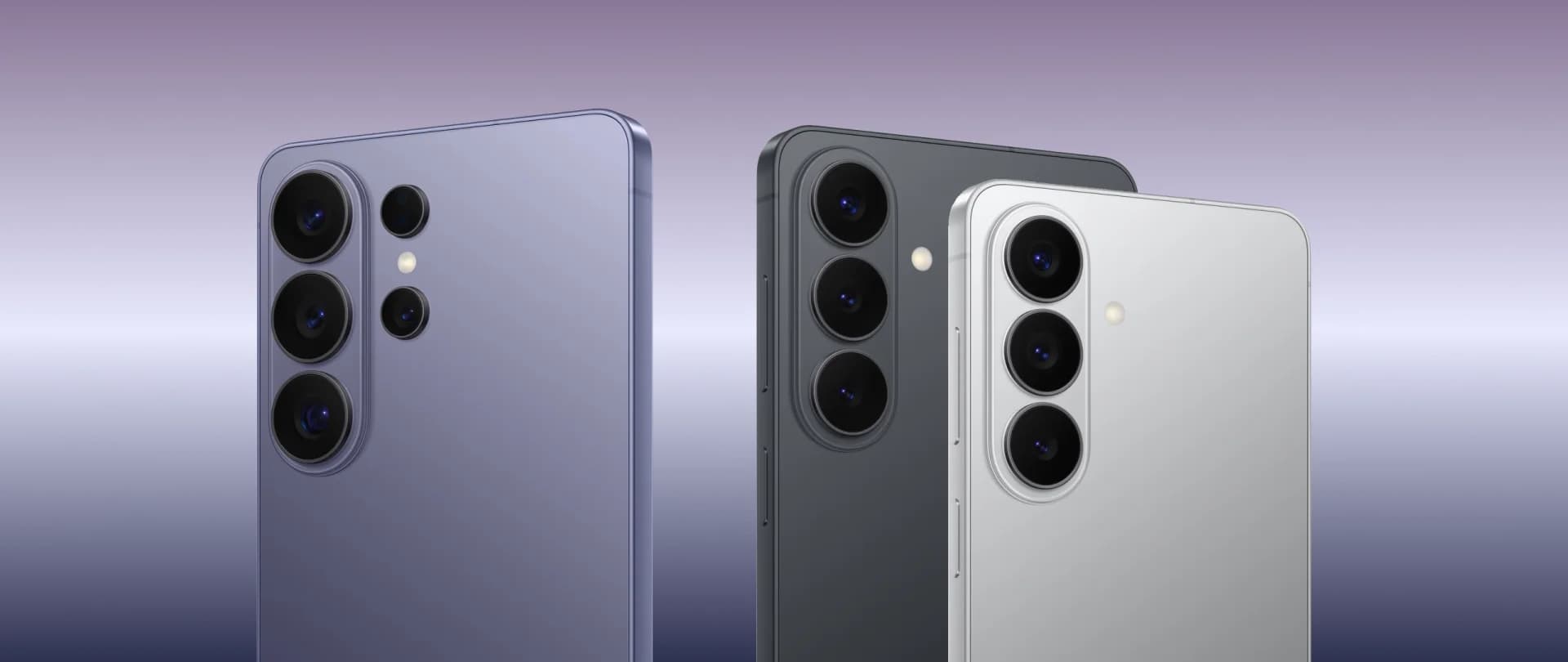
Below you’ll find the full specifications for the Galaxy S26, Galaxy S26+, and Galaxy S26 Ultra.
The comparison covers display details, dimensions, camera configurations, chipset options, battery capacity, charging speeds, connectivity, and durability standards, giving you a clear overview of how each model differs and which one best fits your needs.
Galaxy S26 card:
Display: 6.3" FHD+
Refresh rate: 120Hz adaptive
Dimensions: 71.7×149.6×7.2 mm
Weight: 167 g
Main camera: 50MP
Ultra-wide: 12MP
Telephoto: 10MP 3×
Chipset: Snapdragon/Exynos, depending on market
Battery: 4,300 mAh
Wired charging: 25W
OS: Android 16, One UI 8.5
Connectivity: Wi-Fi 7 / Bluetooth 5.4
Water resistance: IP68 — dust and water resistance rating under defined test conditions
Galaxy S26+ card:
Display: 6.7" QHD+
Refresh rate: 120Hz adaptive
Dimensions: 75.8×158.4×7.3 mm
Weight: 190 g
Main camera: 50MP
Ultra-wide: 12MP
Telephoto: 10MP 3×
Chipset: Snapdragon/Exynos, depending on market
Battery: 4,900 mAh
Wired charging: 45W
OS: Android 16, One UI 8.5
Connectivity: Wi-Fi 7 / Bluetooth 6.0
Water resistance: IP68 — dust and water resistance rating under defined test conditions
Galaxy S26 Ultra card:
Display: 6.9" QHD+
Refresh rate: 120Hz adaptive
Dimensions: 78.1×163.6×7.9 mm
Weight: 214 g
Main camera: 200MP
Ultra-wide: 50MP
Telephoto: 50MP 5× + 10MP 3×
Chipset: Snapdragon 8 Elite Gen 5 for Galaxy
Battery: 5,000 mAh
Wired charging: 60W
OS: Android 16, One UI 8.5
Connectivity: Wi-Fi 7 / Bluetooth 6.0
Water resistance: IP68 — dust and water resistance rating under defined test conditions
Extra: Privacy Display and S Pen
New Galaxy AI Features and Privacy
The S26 series focuses on two practical areas: AI shortcuts that reduce manual steps, and privacy tools that give users more control in public or sensitive situations.
The main updates are Privacy Display on the Ultra, context-aware suggestions, AI-assisted call screening, camera editing tools, and stronger Ultra performance.
Privacy Display, a Built-in Anti-Shoulder-Surfing Screen
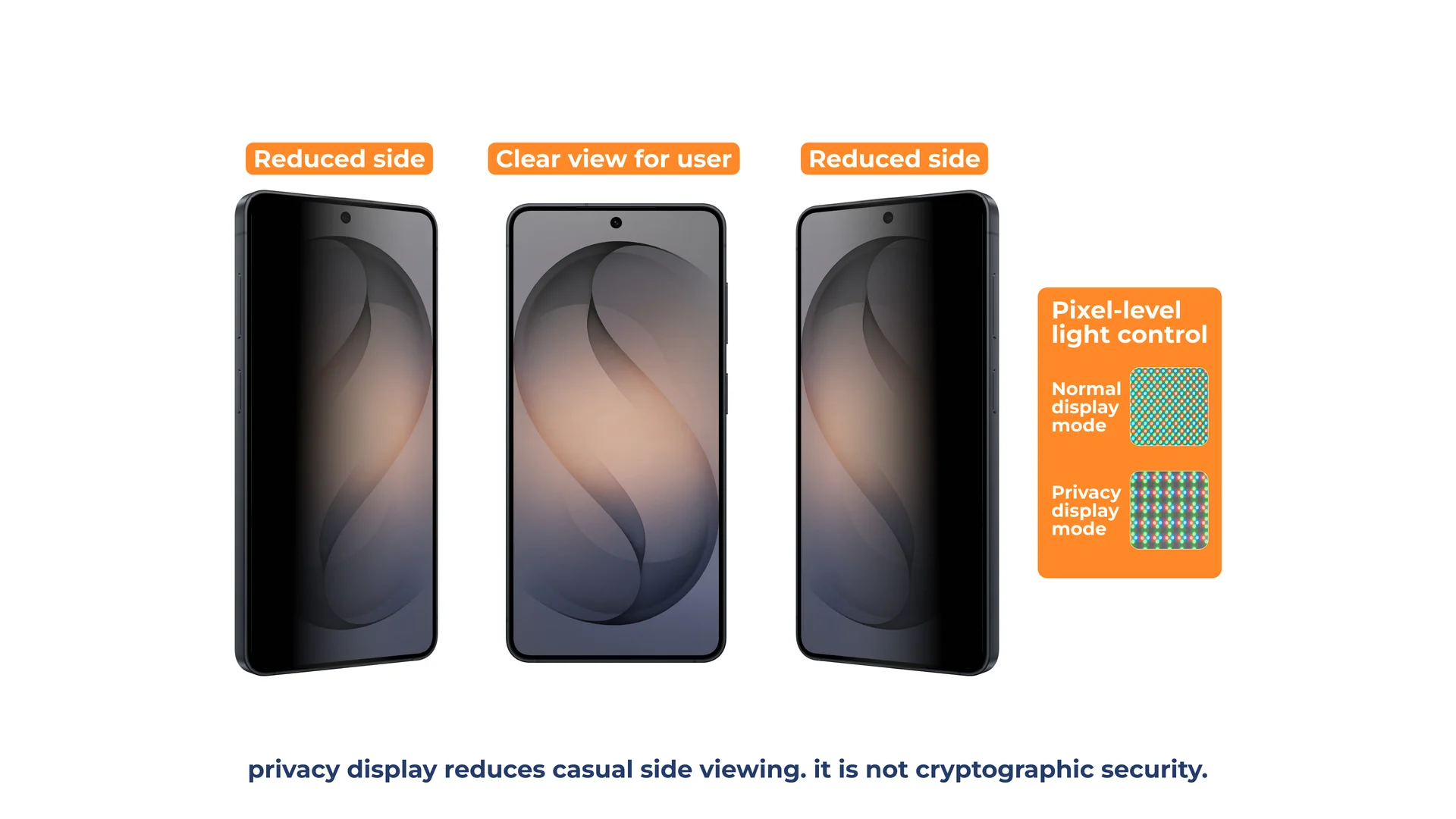
Samsung’s new Privacy Display on the Galaxy S26 Ultra is a built-in anti-shoulder-surfing feature designed to limit screen visibility from side angles.
Unlike traditional privacy screen protectors, this solution is integrated directly into the OLED panel.
When activated, it narrows the viewing angles so the content remains clear to the person looking straight at the display, while appearing dimmed or obscured to anyone viewing from the side.
Because the feature is built into the display, it avoids the extra layer of a removable privacy protector.
According to Samsung’s official description, Privacy Display is not limited to a simple on and off toggle.
Users can configure it to activate automatically in specific scenarios, for example when opening banking apps, viewing sensitive content, or entering a PIN.
It can also be tied to routines so it turns on in public places and switches off at home.
The feature works in both portrait and landscape orientations, making it practical for everyday use, including messaging, browsing, and media consumption.
Privacy Display is designed for personal viewing.
If you want to show something to a person sitting next to you, it is better to switch the feature off.
For commuters, travelers, and anyone who often uses banking, messaging, or work apps in public, it is one of the Ultra’s clearest hardware differences.
Agentic Gemini as an AI Assistant That Completes Tasks
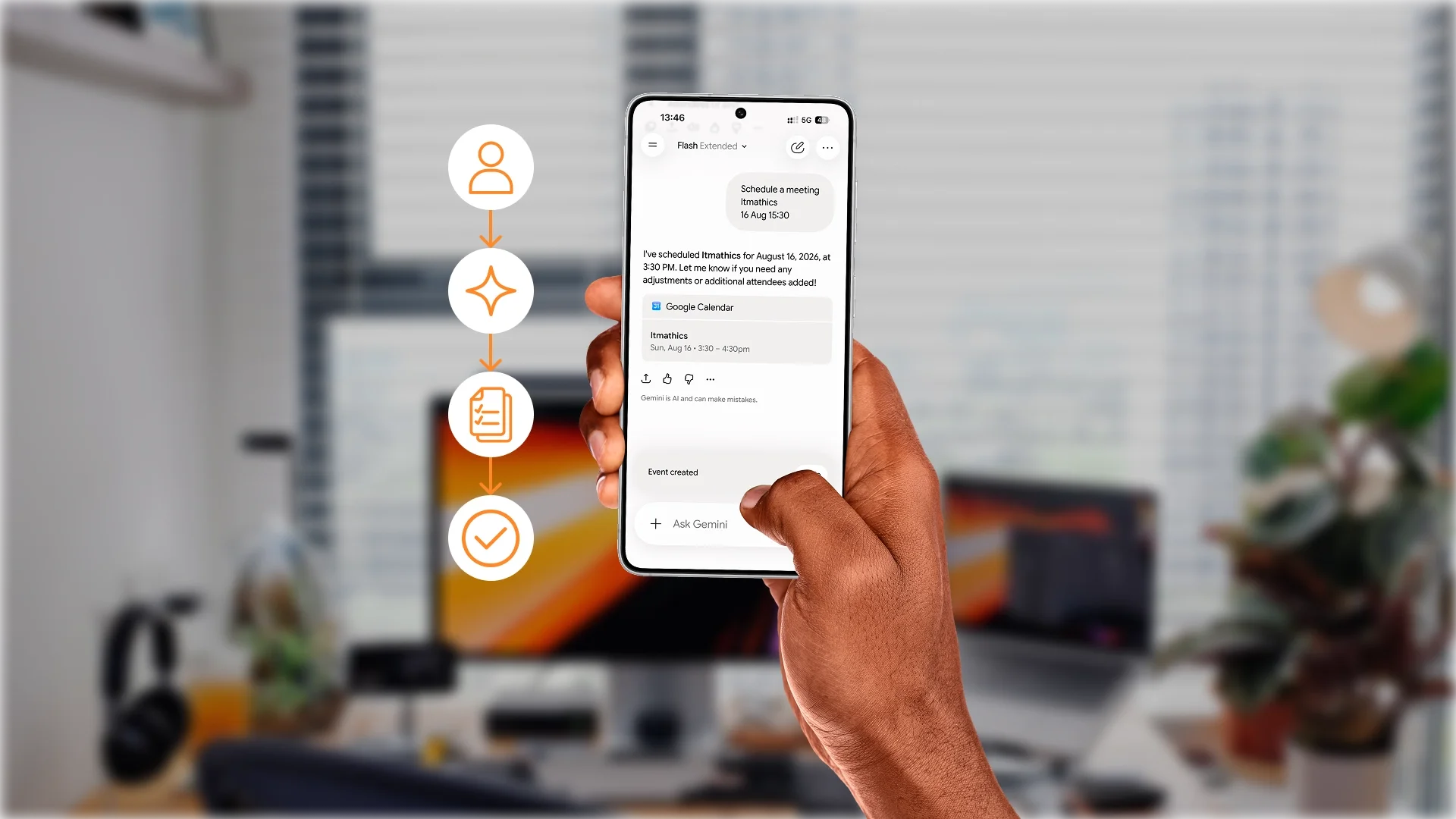
The Galaxy S26 lineup supports AI assistants that can help with multi-step actions inside supported apps and services.
Instead of only answering a question, Gemini can prepare a task flow, show the details, and leave the final confirmation to you.
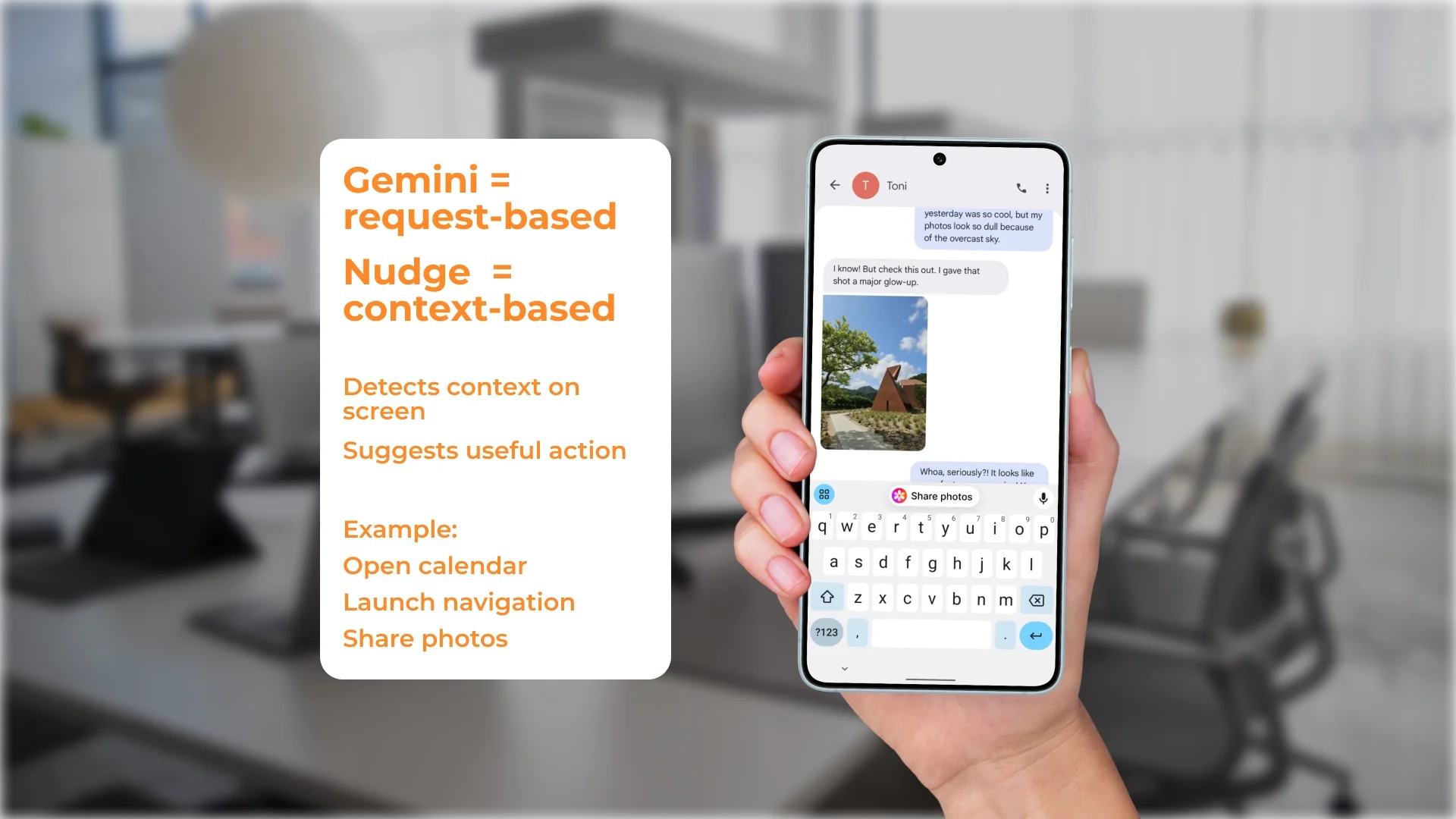
Now Nudge analyzes what’s happening on your screen and surfaces relevant actions at the exact moment you need them.
If someone asks whether you’re free on Thursday, it can instantly suggest opening your calendar.
If a message includes an address, it may prompt you to launch navigation without manually switching apps.
In simple terms, Gemini helps when you ask for a multi-step task, while Now Nudge helps when the phone detects a useful next action from your current screen.
That distinction keeps the AI section clear: one feature is request-based, the other is context-based.
AI Call Screening and Privacy Alerts
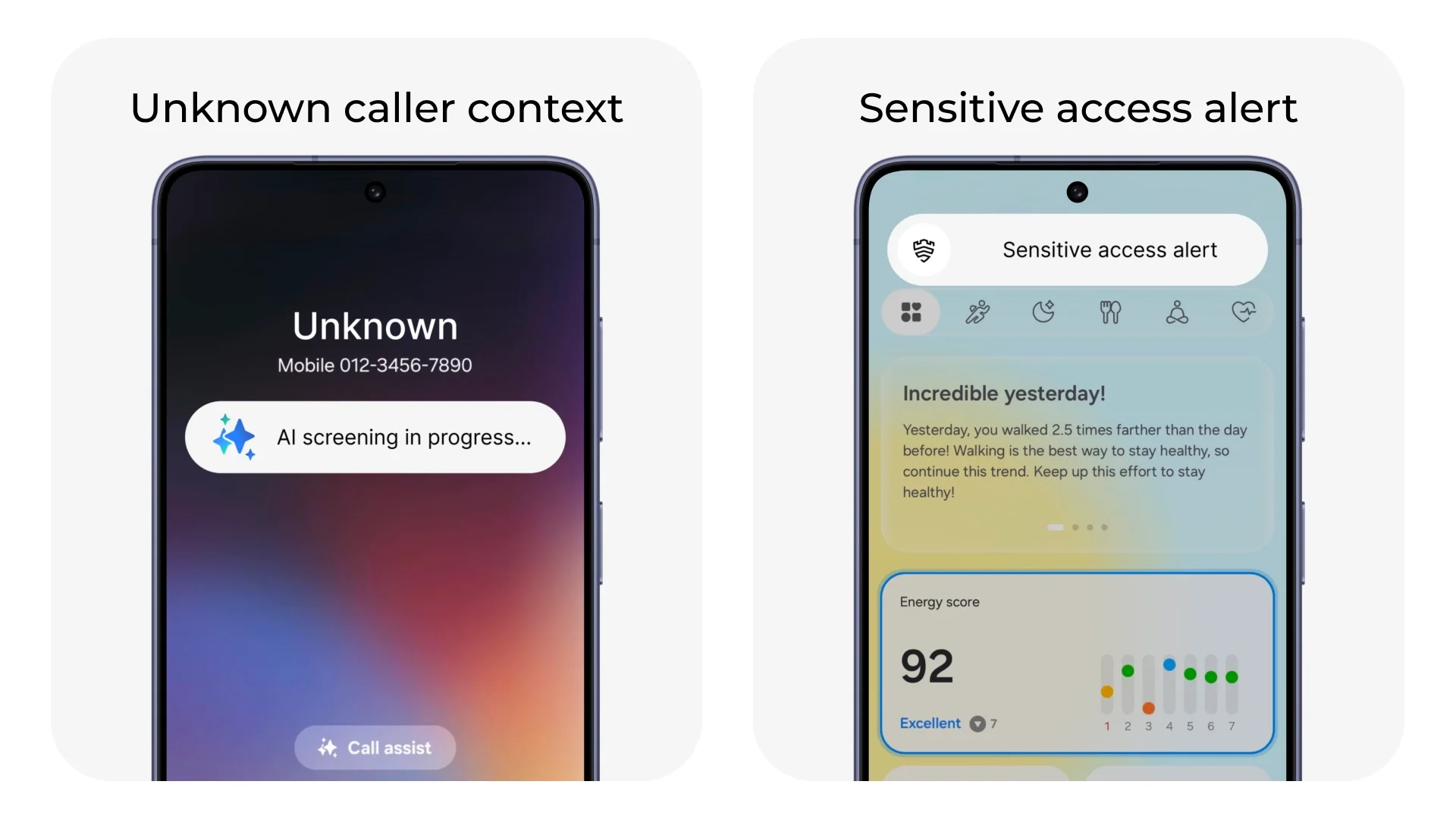
The Galaxy S26 series adds AI-powered Call Screening and privacy alerts.
Call Screening can give you more context before answering unknown numbers, while privacy alerts can warn when apps request sensitive access in the background.
The goal is practical: clearer caller information, fewer unwanted interruptions, and stronger built-in protection at the system level.
Galaxy S26 Camera and AI Creative Tools
The Galaxy S26 series combines upgraded camera hardware with AI tools for capturing, editing, and sharing directly on the phone.
On the Galaxy S26 Ultra, wider apertures let more light reach the sensor, delivering sharper low-light photos with richer detail, even when zooming.
Video gets meaningful upgrades as well. Enhanced Nightography Video keeps footage clearer and more vibrant in dim environments, and upgraded Super Steady adds a horizontal lock option to make framing more consistent while moving.
Ultra also becomes the first Galaxy device to support APV, Advanced Professional Video, a pro-grade video codec designed for efficient compression and high-quality editing workflows.
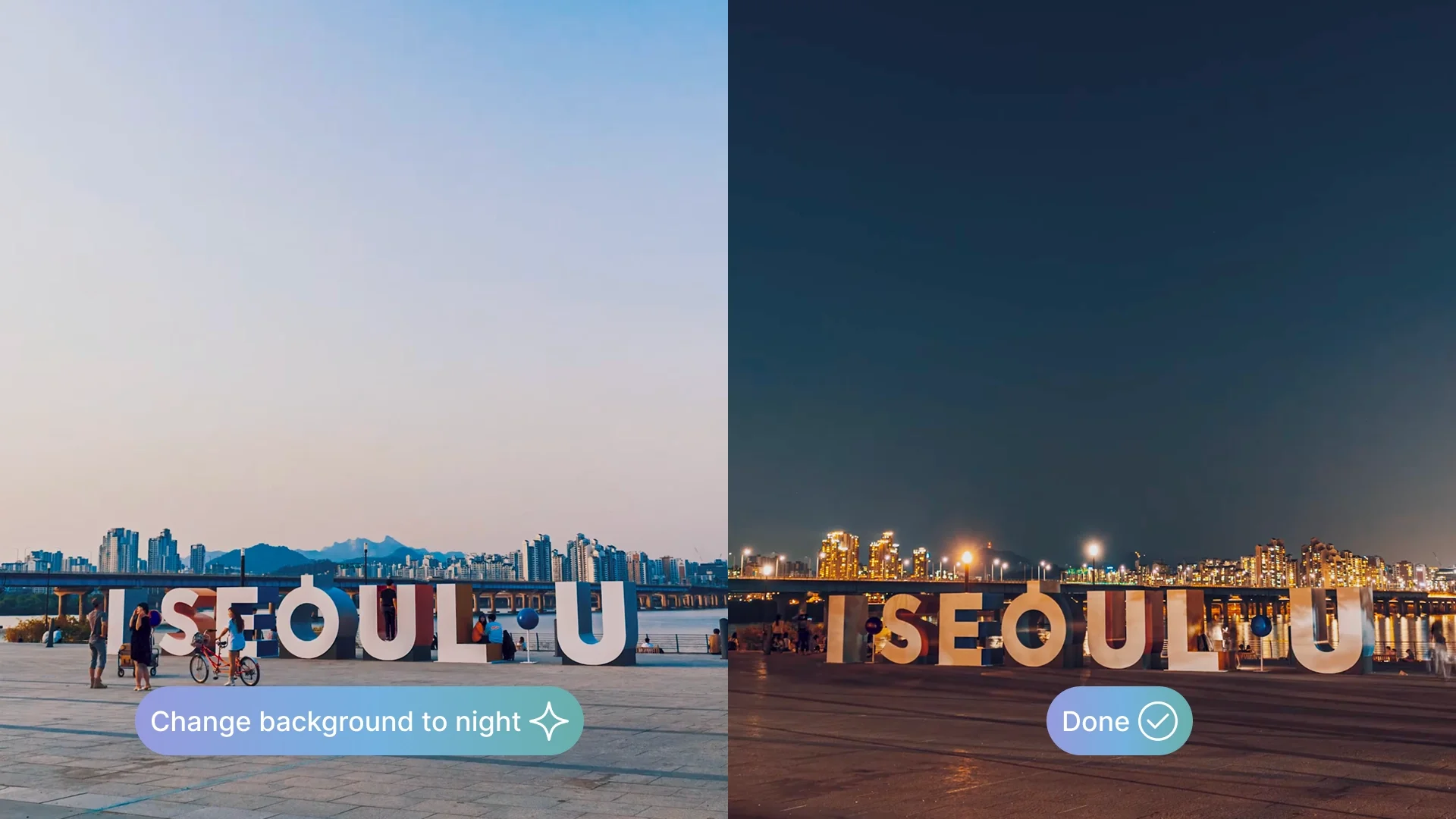
Editing is where Galaxy AI becomes most visible across the lineup. The upgraded Photo Assist suite supports natural-language prompts, so you can describe what you want to change instead of doing complex manual adjustments.
It can switch scenes from day to night, add content, restore missing parts of objects, remove small distractions, and even change outfits in photos. Edits stay adjustable, so you can review and refine the result before saving.
Samsung also adds a more centralized creation hub with Creative Studio, which brings generation and customization into one integrated space.
Starting from a sketch, photo, or prompt, you can quickly create visuals like stickers, invitations, or wallpapers without switching tools.
For practical everyday use, the series includes improved Document Scan, which automatically removes distortions and distractions such as creases or fingers and can organize multiple scans into a single clean PDF.
It is useful for receipts, forms, and notes.
Snapdragon 8 Elite Gen 5 for Galaxy with Regional Nuances
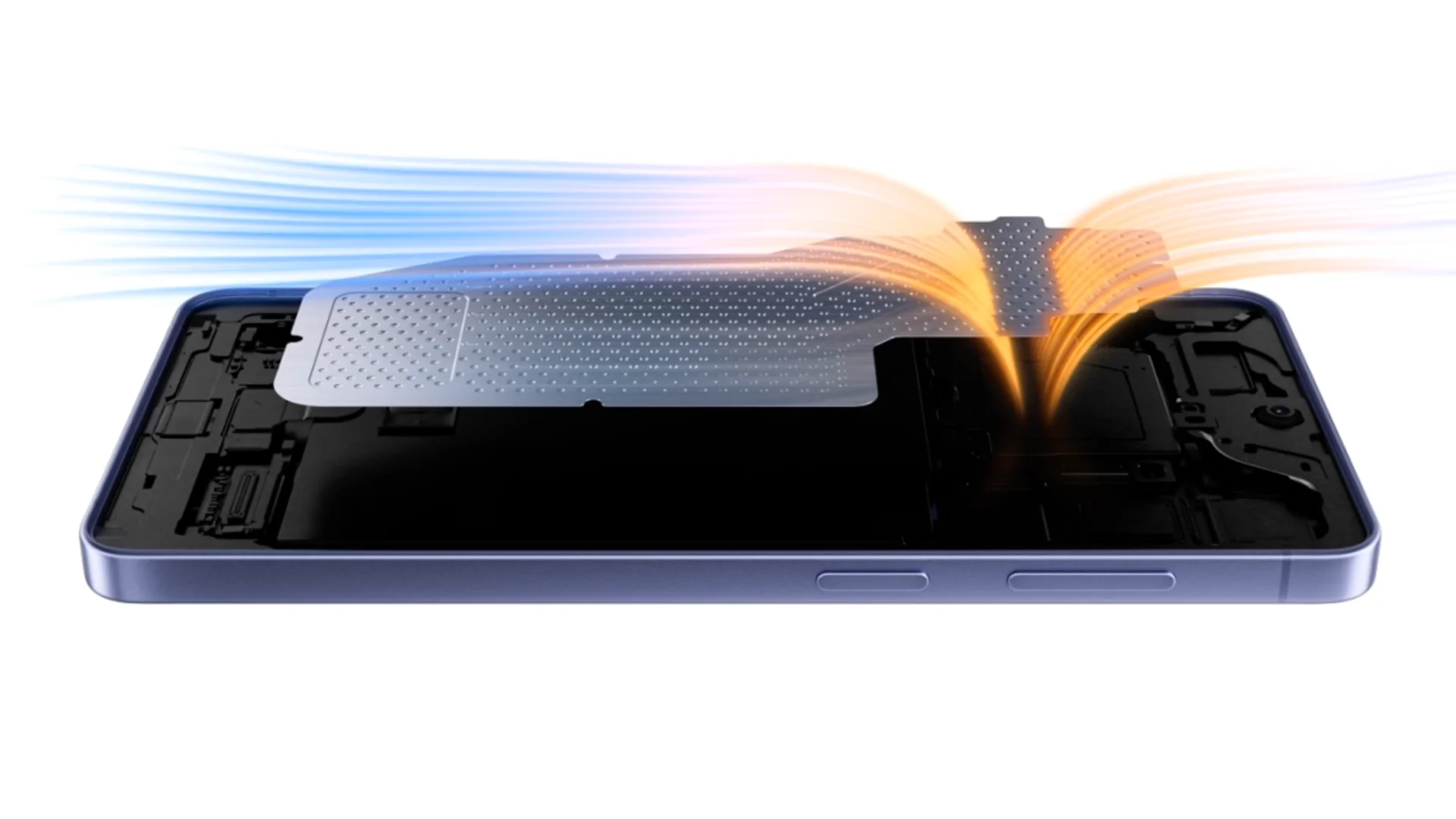
Performance features differ by model. The Galaxy S26 Ultra is the safest reference point for confirmed Snapdragon performance, Privacy Display, faster charging, and the most advanced camera hardware, while Galaxy S26 and Galaxy S26+ specifications can vary by market.
The Galaxy S26 Ultra uses Snapdragon 8 Elite Gen 5 for Galaxy. Chipset availability for Galaxy S26 and S26+ can vary by market, so local Serbia/EU product pages should be checked before publication.
The “for Galaxy” version is tuned for Samsung devices. It brings faster CPU performance for app launches and multitasking, a stronger NPU — neural processing unit, the part of the chip used for AI tasks — and a GPU boost for graphics-heavy apps and games.
The Ultra also has a redesigned Vapor Chamber cooling system. This spreads heat across a larger surface area, helping the phone keep steadier performance during gaming, 4K/8K video recording, and long multitasking sessions. Super Fast Charging 3.0 can reach up to 75% in about 30 minutes, helping you get back to use faster.
For readers comparing models in Serbia, the main point is simple: the Ultra is the safest pick if you want the strongest confirmed performance package, Privacy Display, faster charging, and the most advanced camera hardware.
Audio Eraser in Third-Party Apps
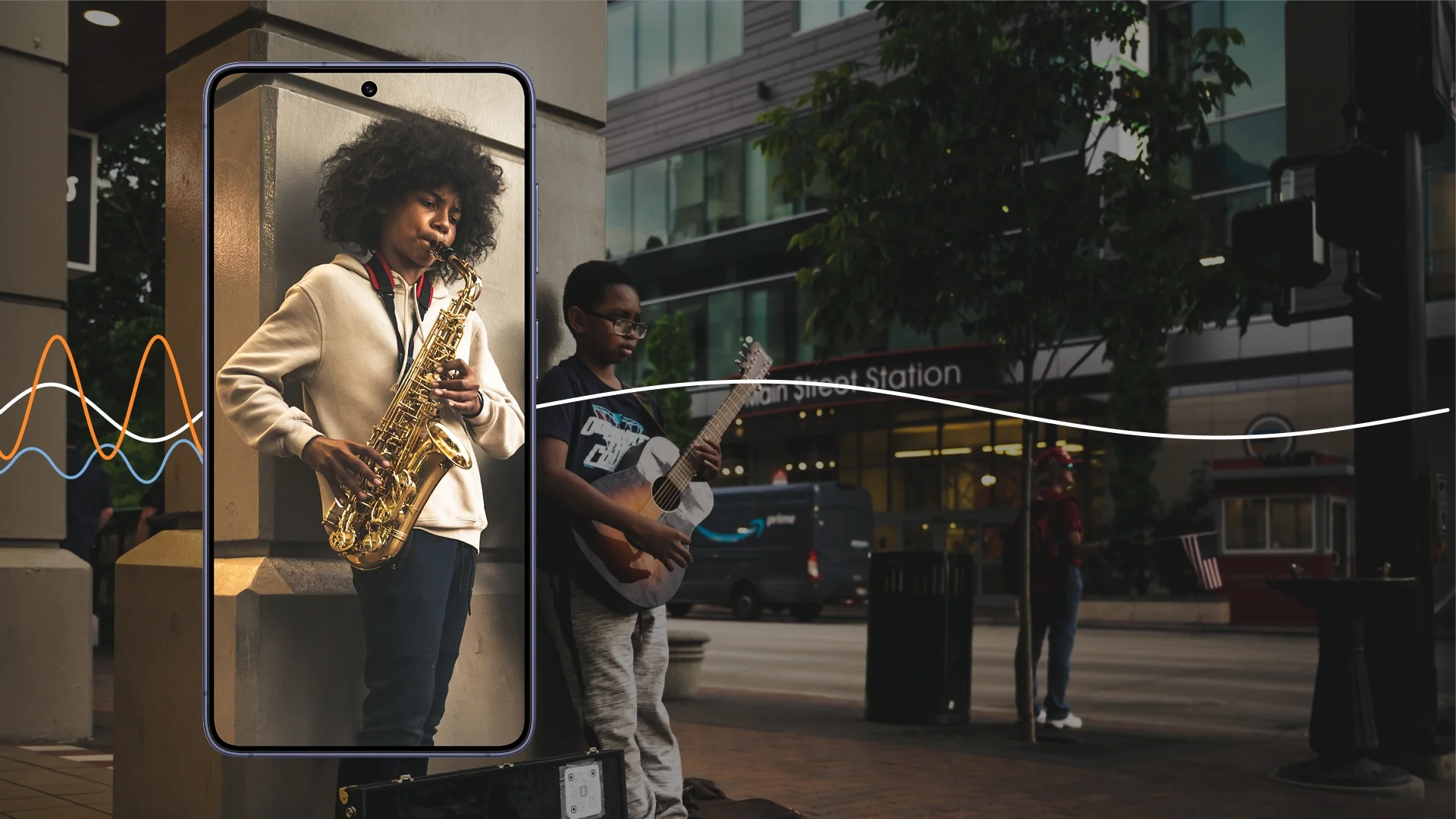
Audio Eraser now works beyond the native camera and gallery in supported third-party apps. It separates voices from background sounds, so you can reduce wind, traffic, crowd noise, or ambient hum while keeping speech clearer.
For short videos, voice messages, and clips recorded in streets, cafés, or public transport, this makes mobile audio cleanup easier to manage directly on the phone.
Galaxy S26 Prices: What Each Model Costs
The Galaxy S26 series is easier to compare as three price and use-case tiers: the compact Galaxy S26, the larger-screen Galaxy S26+, and the Ultra model for privacy, camera, S Pen, and performance features.
At launch, U.S. prices were listed around $899 for Galaxy S26, $1,099 for Galaxy S26+, and $1,299 for Galaxy S26 Ultra. In Serbia, launch-period retail prices started around 119,999 RSD for Galaxy S26, 149,999 RSD for Galaxy S26+, and 174,999 RSD for Galaxy S26 Ultra, depending on configuration and retailer.
Before publication, verify current local prices and show live/local price ranges in the model cards where possible.
Is the Galaxy S26 Series Worth the Upgrade?
The Galaxy S26 series is worth comparing if your current phone is two to three years old, or if you want stronger AI tools, better privacy options, improved camera features, and longer practical battery life.
For most users, the choice comes down to size and priorities. Galaxy S26 is the compact option. Galaxy S26+ adds a larger display and bigger battery. Galaxy S26 Ultra adds the clearest hardware upgrades: Privacy Display, S Pen, the strongest camera setup, faster charging, and the confirmed Snapdragon performance package.
Compare the Galaxy S26, S26+, and S26 Ultra model cards to check specs, current local price ranges, and key differences before deciding which model fits your use case.