
1. Think About What They Would Find Useful

Does their phone slide off the books it rests against during video calls? Does your friend often become unreachable because their battery has died? Do they keep searching for headphones among things on their desk?
These are clues: a phone stand frees their hands, a power bank is useful when no power socket is available, and a headphone stand gives their headphones a home.
Remember your conversations, too. Perhaps they wanted to replace an uncomfortable mouse or buy a larger desk mat. If they already own something similar, consider whether a second would help. A spare accessory for work may be useful; a second stand for their only pair of headphones probably will not.
2. Consider Accessories That Need No Connection

When you know little about their devices, start with a desk mat or a simple phone or headphone stand. A workspace photo and a few details are often enough.
Desk Mat
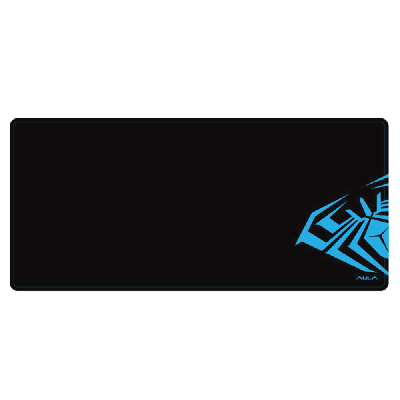
A large keyboard-and-mouse mat needs enough clear surface. On a small desk, a compact mat leaves room for documents and other items. Choose a design that suits the recipient’s taste.
For example, a 900 × 400 mm mat needs a clear area of that size. Consider this format if you know they would like a large mat.
Phone Stand
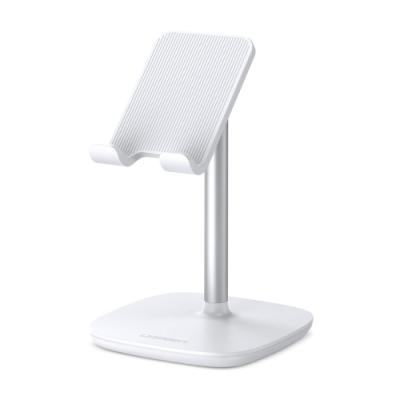
A stand is useful for video calls and watching videos at a desk. Check that the phone fits with its case, rests securely and remains accessible for charging.
An adjustable angle lets them change the screen’s position, which helps when using the phone at different desks or from different positions.
Headphone Stand
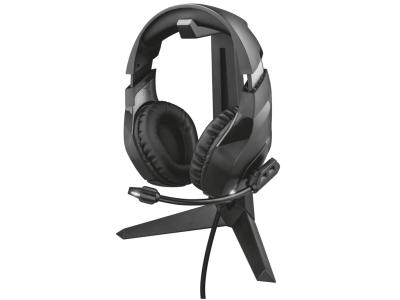
A stand helps someone who uses headband-style headphones and leaves them on the desk. Check its height: the earcups should not touch the desk. The base needs space, too.
Check the stand’s limits. If it is designed for headphones up to 24 cm in height, compare that limit with the recipient’s headphones. This type of stand does not solve storage needs for earbuds in a charging case.
3. Check Connections for Electronic Accessories
If you choose an electronic accessory, check how it will work with the recipient’s devices.
Wireless Mouse
Mice connect through Bluetooth, a USB receiver or both. A receiver needs a suitable free port. If the laptop has only USB-C and the receiver uses USB-A, an adapter will be needed. For a Bluetooth mouse, check Bluetooth support and operating system compatibility.
A compact mouse with quiet clicks may suit home, office or travel use. First check that they find smaller mice comfortable: a familiar shape matters for daily work.

Power Bank
Find out which cable they use to charge their phone. For fast charging, check the modes supported by the phone and power bank, plus the cable’s capabilities. Size and weight matter for carrying it.
For example, a 10,000 mAh power bank rated at up to 30 W may be worth considering for charging a phone while travelling. Higher capacity does not determine charging speed, and maximum power does not mean every phone will charge at that rate.

Chargers and Hubs
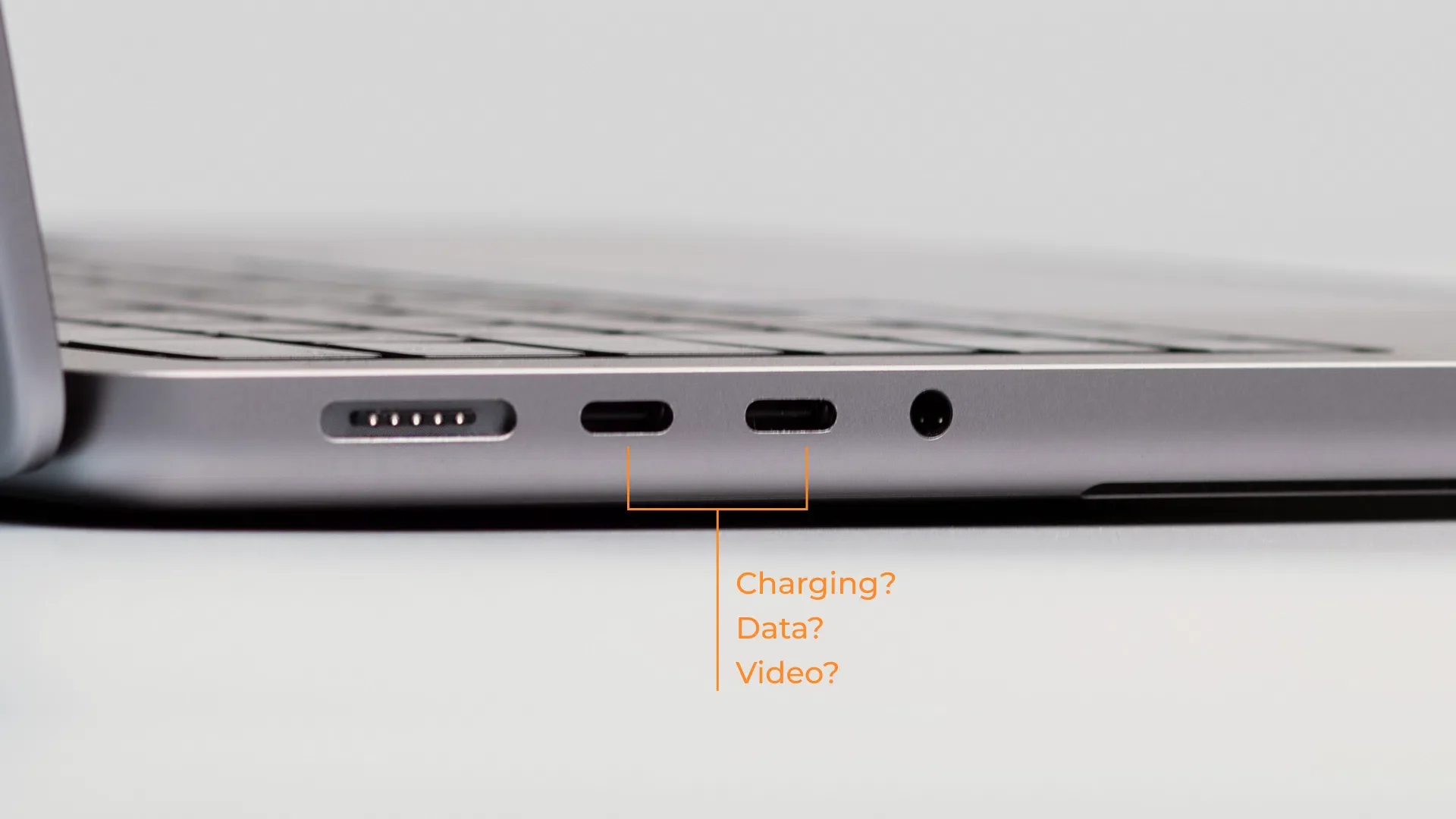
USB-C describes the connector type. Its shape does not confirm charging power, data speed or video output. A standard USB-C – HDMI adapter needs a device that supports video output. For wireless charging, check phone and case compatibility, too.
If you cannot confirm the requirements, return to accessories that need no connection.
4. Compare Options Within Your Budget
The table shows five options for different needs. Prices refer to the product-card examples above. Recommendations depend on what you know about the recipient.
Gift and example price | When it helps | Recommendation |
Large desk mat – 1,303 RSD | They want one mat for a keyboard and mouse | Choose if 900 × 400 mm is available and they like this format. |
Phone stand – 1,390 RSD | They use their phone at a desk | Choose if the phone rests securely with its case fitted. |
Headphone stand – 2,567 RSD | Headband-style headphones are left on the desk | Choose if the headphones fit the height limit and the base fits on the desk. |
Wireless mouse – 2,238 RSD | They need a compact mouse | Choose after checking Bluetooth, operating system compatibility and preferred mouse size. |
Power bank – 5,000 RSD | Their phone runs out away from a socket | Choose after checking the cable, charging modes, size and weight. |
Prices are dated 4 November 2026, excluding delivery. Check product cards for current prices and availability.
Among these examples, a budget of up to 1,500 RSD covers a mat or phone stand; up to 3,000 RSD also covers a mouse or headphone stand. A more expensive item is not necessarily more useful.
Include any missing cables, power adapter and delivery in the total cost.
5. Check Package Contents and Arrival Date

Read the package contents list: similar versions of an accessory may include different items. Buy everything needed for use together.
For a New Year or Christmas gift, confirm the arrival date for your order and address. Allow time to collect and wrap it.
Keep the receipt. Read the delivery terms and terms for withdrawing from a purchase beforehand, especially if the gift will not be given for several weeks.
Common Mistakes to Avoid
Choosing only to your own taste. Consider the recipient’s preferences.
Buying a large format without measuring. Check desk or bag space.
Assuming identical connectors guarantee compatibility. Compare supported functions.
Forgetting package contents. Check what must be bought separately.
Which Option Should You Choose?
If you know little about their devices, start with accessories that need no connection. Choose a mouse or power bank after checking compatibility. Find an option that meets a specific need, confirm package contents and order from IT Shop.
FAQ
What can I give if I know neither the phone nor laptop model?
Consider a desk mat, simple phone stand or headphone stand. The recipient’s habits, dimensions and available space matter more for these accessories.
Is having USB-C enough?
No. The device, accessory and cable must support the required functions: charging, data transfer or video output.
Can I give a power bank without knowing the phone model?
Yes, if you know the cable and charging requirements. For magnetic and wireless options, also check phone and case compatibility.