How the RTX Spark superchip works
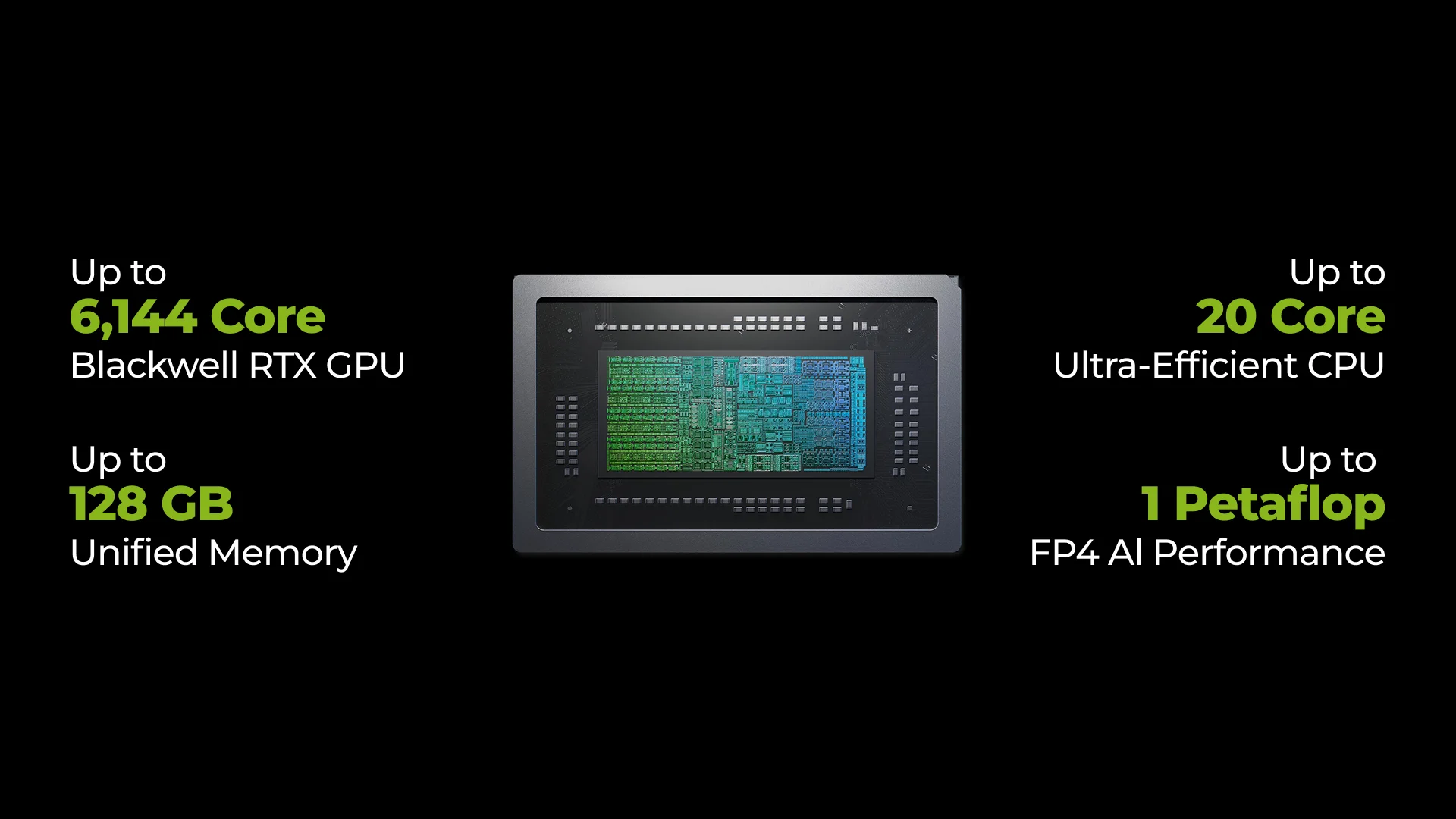
At the heart of the RTX Spark platform is the N1X superchip. It combines a Grace central processing unit (CPU) and a Blackwell RTX graphics processing unit (GPU), both of which access the same unified memory. In video editing, for example, the CPU runs the editor while the GPU accelerates compatible effects and image processing. The processors communicate through the high-speed NVLink-C2C interconnect.
NVIDIA developed the Arm-based CPU in collaboration with MediaTek. Arm uses a different instruction set from the x86/x64 architecture found in most Windows PCs with Intel and AMD processors. Familiar applications may therefore need an Arm-compatible version or have to run through emulation. In laptop configurations, half of the CPU cores are performance cores and half are efficiency cores. The former handle demanding tasks, while the latter carry out lighter workloads using less energy.
The GPU also uses different types of cores. CUDA cores perform many calculations in parallel, Tensor cores accelerate AI operations, and RT cores handle ray-tracing calculations, including those used for lighting, reflections and shadows.
NVIDIA has published specifications for two laptop configurations and a desktop version:
Specification | Higher-spec laptop N1X | Lower-spec laptop N1X | Desktop N1X |
Grace CPU | 20 cores | 18 cores | 20 cores |
Blackwell RTX graphics | 6,144 CUDA cores | 5,120 CUDA cores | 6,144 CUDA cores |
Tensor cores | Fifth generation | Fifth generation | Fifth generation |
RT cores | Fourth generation | Fourth generation | Fourth generation |
Claimed FP4 AI performance | Up to 1 PFLOPS | Up to 827 TFLOPS | Up to 1 PFLOPS |
Superchip thermal design power | 45–80 W | 45–80 W | 140 W |
Memory type | Unified LPDDR5X | Unified LPDDR5X | Unified LPDDR5X |
Maximum memory capacity | 128 GB | 32 GB | 128 GB |
The AI performance figures in the table refer to FP4 calculations, which use a four-bit representation of numbers. This format reduces the amount of data, but the model must be prepared for it. PFLOPS and TFLOPS indicate peak computing throughput; the time needed to generate an image or an assistant’s response also depends on the application, model and settings.
Thermal design power indicates the heat load the cooling system needs to handle. The cooling implementation determines whether a particular laptop can maintain performance during lengthy rendering sessions and other demanding tasks.
Unified memory for large projects
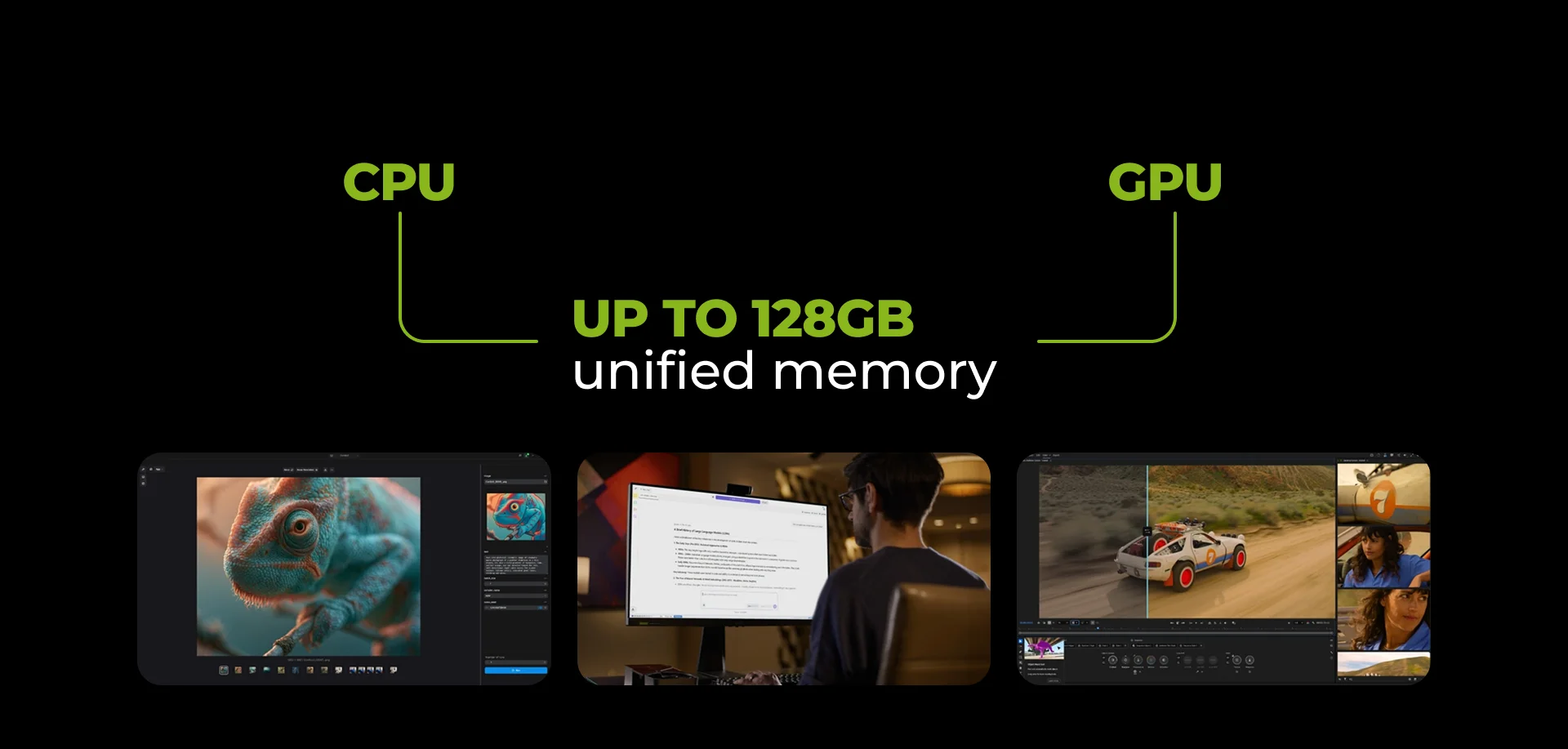
Higher-spec configurations offer up to 128 GB of unified memory for the CPU and GPU. This capacity allows large projects to fit in memory: NVIDIA claims support for 3D scenes of up to 90 GB. For artists, that means being able to open a large scene with detailed textures.
The platform also supports editing 8K 4:2:2 video. Both memory for demanding source footage and hardware video processing matter here. The 4:2:2 format retains more colour information than the common 4:2:0 format, which is useful for colour grading. A sixth-generation decoder helps process compressed video during playback, while a ninth-generation encoder handles encoding during export. H.264, HEVC and AV1 are supported.
When choosing a configuration, consider the entire workflow. Windows and applications occupy part of the unified memory: a video editor, browser and local assistant all use it at the same time. The requirements of a single application therefore do not provide a complete picture of the workload.
N1X and Apple Silicon: memory and software environment
Macs with Apple Silicon also use unified memory shared by the CPU and GPU. Comparing N1X with several Apple chips helps explain the memory capacities these platforms offer and how their software environments differ.
Chip | Maximum unified memory | Platform features |
N1X, higher-spec laptop configuration | Up to 128 GB | Windows on Arm, Blackwell RTX graphics and CUDA support |
Apple M1, base chip | Up to 16 GB | The first generation of Apple Silicon for Mac, introduced in 2020 |
Apple M5 Max, 40-core GPU version | Up to 128 GB | A professional MacBook Pro configuration |
Apple M6, base chip | Up to 32 GB | A new-generation base chip introduced in Mac mini |
The table lists maximum memory capacities; individual device configurations may differ. The base M1 and M6 have lower limits, which matters when working with large projects and local models. The higher-spec N1X and M5 Max offer up to 128 GB.
N1X offers CUDA and RTX on Windows, while Macs with Apple Silicon use macOS and Metal. Check support for your applications, plugins and acceleration methods.
For local language models, unified memory capacity affects which model can fit alongside its context and other applications. However, having 128 GB on both N1X and M5 Max does not mean they deliver the same speed: performance depends on the model, settings and software acceleration. Choosing a platform therefore means considering both available memory and support for the tools that will run the AI assistant.
Local AI and assistant controls
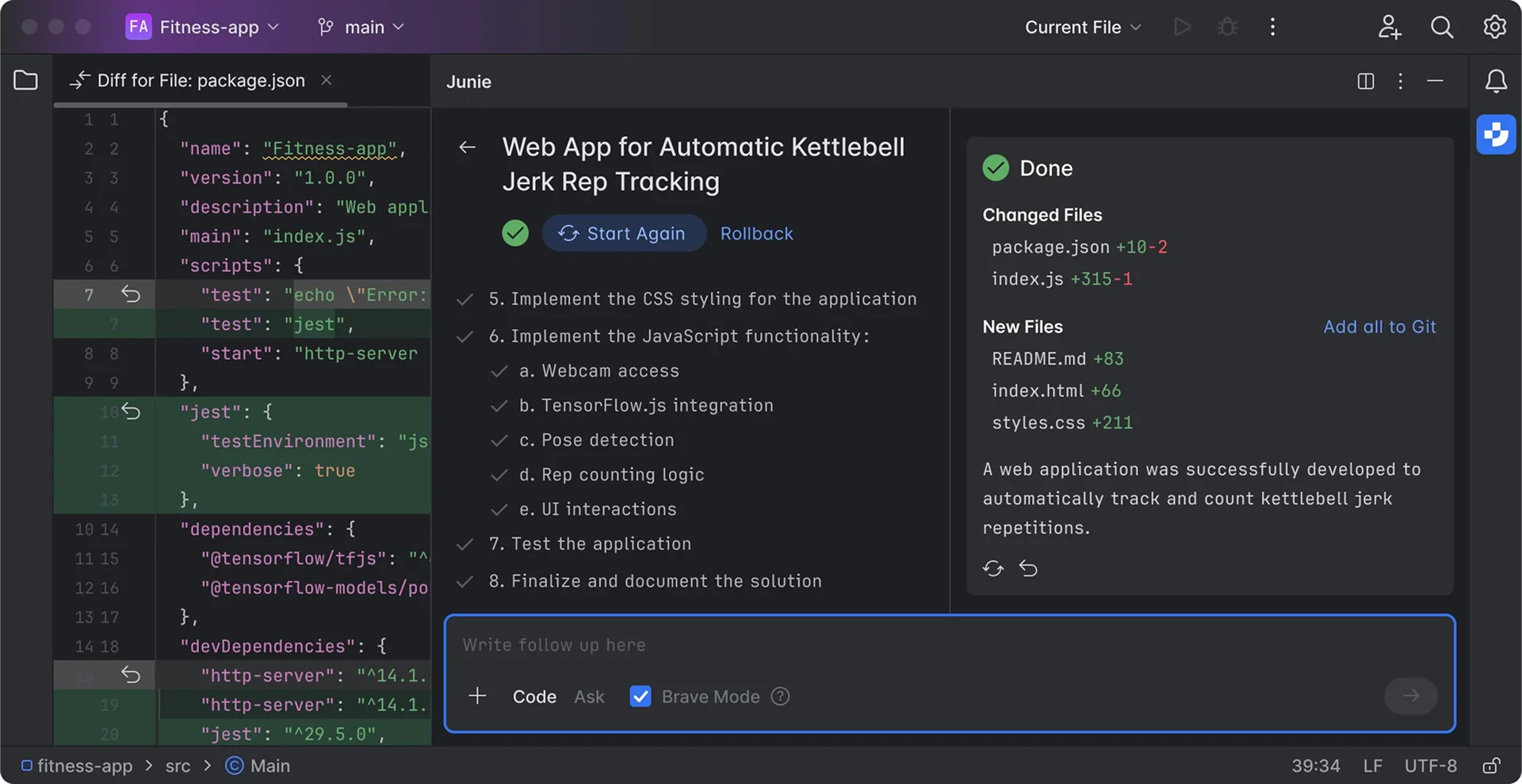
Local AI was part of the Berlin demonstrations. On a laptop, an assistant can search documents, edit code and run checks on it. A large language model, or LLM, processes the request and generates a response, while an agent application uses the model to work with connected tools.
For these tasks, NVIDIA has prepared Nemotron 3.5 Bolt 74B-A9B. The model contains 74 billion parameters and is designed to fit in 24 GB of memory. That allocation is for the model itself: processing requests, maintaining interaction history and running other applications require additional memory. We explain model architecture, memory requirements and deployment options in a separate article.
Running local AI has become easier in several applications, including GitHub Copilot, Hermes and OpenClaw. According to NVIDIA, they recommend a suitable model and settings, then guide users through installation.
When needed, an assistant can combine local and cloud processing, for example by sending more complex tasks to an external model. NVIDIA offers the Switchyard library to route these requests; Hermes support is expected by the end of October. Locally processed data stays on the computer, while transfers to external services depend on the assistant’s selected mode and settings.
A separate task is deciding which files and services the assistant can access. NVIDIA OpenShell and Microsoft Execution Containers (MXC) provide tools for this. MXC creates an isolated execution environment, while OpenShell helps configure access restrictions and monitor agent actions. At launch, OpenClaw and GitHub Copilot support MXC; integration of OpenShell and MXC into Hermes is expected by the end of October.
What is changing in Photoshop, Premiere and Blender
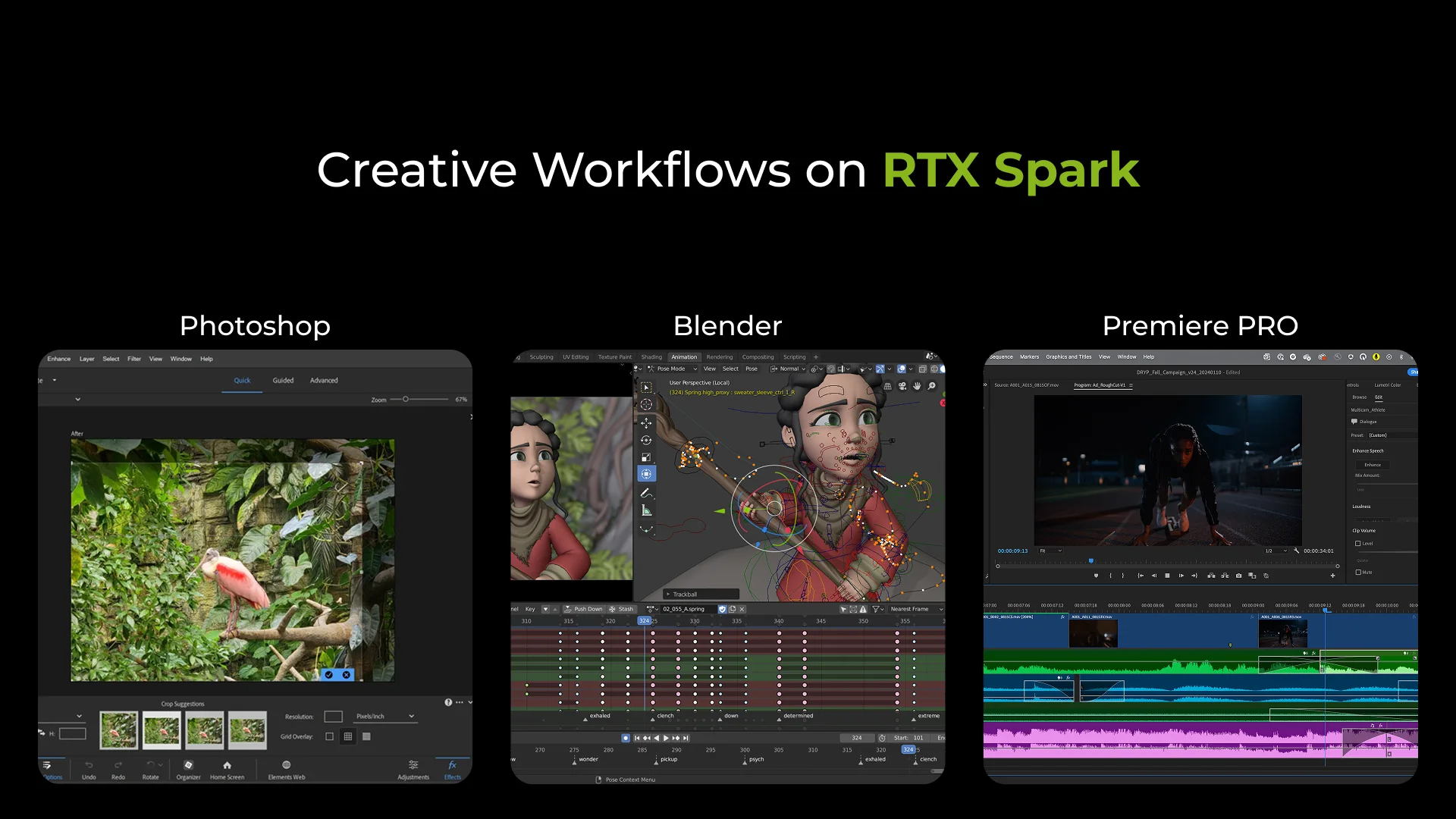
Adobe has prepared updates to Photoshop and Premiere for the arrival of the new laptops. In Photoshop, compositing images from layers, masks and effects is accelerated. This should make editing complex compositions more responsive. Performance improvements also extend to the Remove Tool, which removes objects from images, and selected effects.
In Premiere, the changes cover playback, rendering and colour grading. The AI-powered Enhance Speech tool helps improve speech clarity, while Object Mask isolates an object for separate editing. At launch, RTX Spark support in Photoshop and Premiere is available through compatible beta versions.
For Substance 3D Painter, an application for working with materials on 3D models, NVIDIA claims faster texture preparation and faster opening, saving and exporting of large projects. These updates will arrive later.
A beta release of Blender 5.3 adds platform support. DLSS Ray Reconstruction is planned for November. The technology uses AI to reduce noise and reconstruct detail in ray-traced images. This will help artists assess lighting more quickly while navigating a scene in the preview viewport.
Broadcast and ComfyUI: processing recordings and AI video
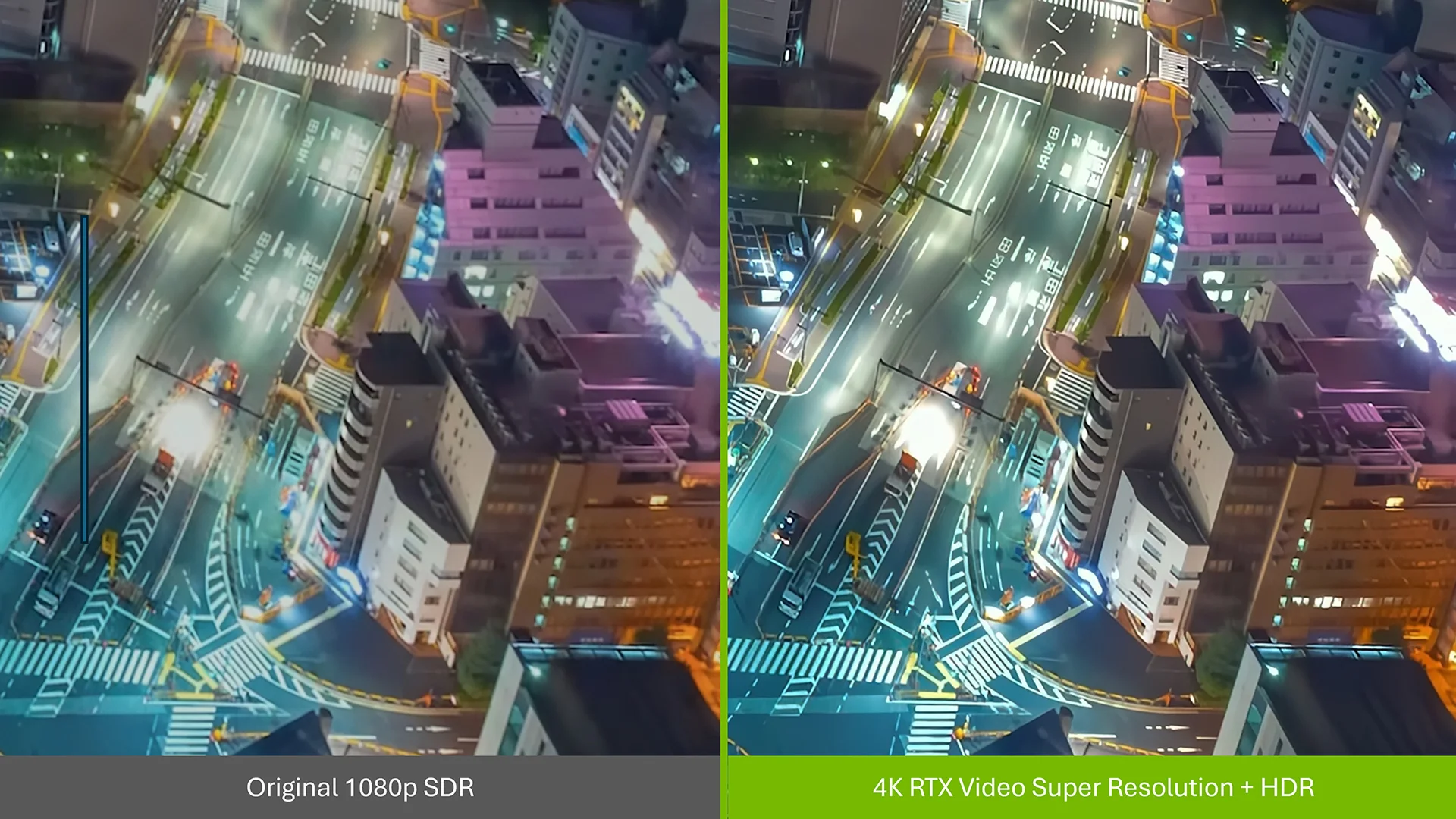
NVIDIA Broadcast 2.3 introduces File Processor, allowing the application’s effects to be applied to saved audio and video files, such as an interview after recording. The update also adds:
RTX Video Super Resolution, beta: video upscaling to as high as 4K.
RTX Video Frame Generation, beta: intermediate frames for smoother motion.
Studio Voice profiles: several voice-processing options.
AI agent control: changing settings and starting file processing through an MCP connection.
In ComfyUI, an environment for working with generative AI, frame generation and SDR-to-HDR conversion join the existing video upscaling tools. HDR provides an extended brightness range. These tools can be used in sequence: increase a clip’s resolution, smooth its motion and prepare an HDR version. EXR export is also available for further processing and colour grading. Compatible RTX graphics are required; frame generation is supported on GeForce RTX 40 Series GPUs and newer.
Developer tools and AI workload distribution
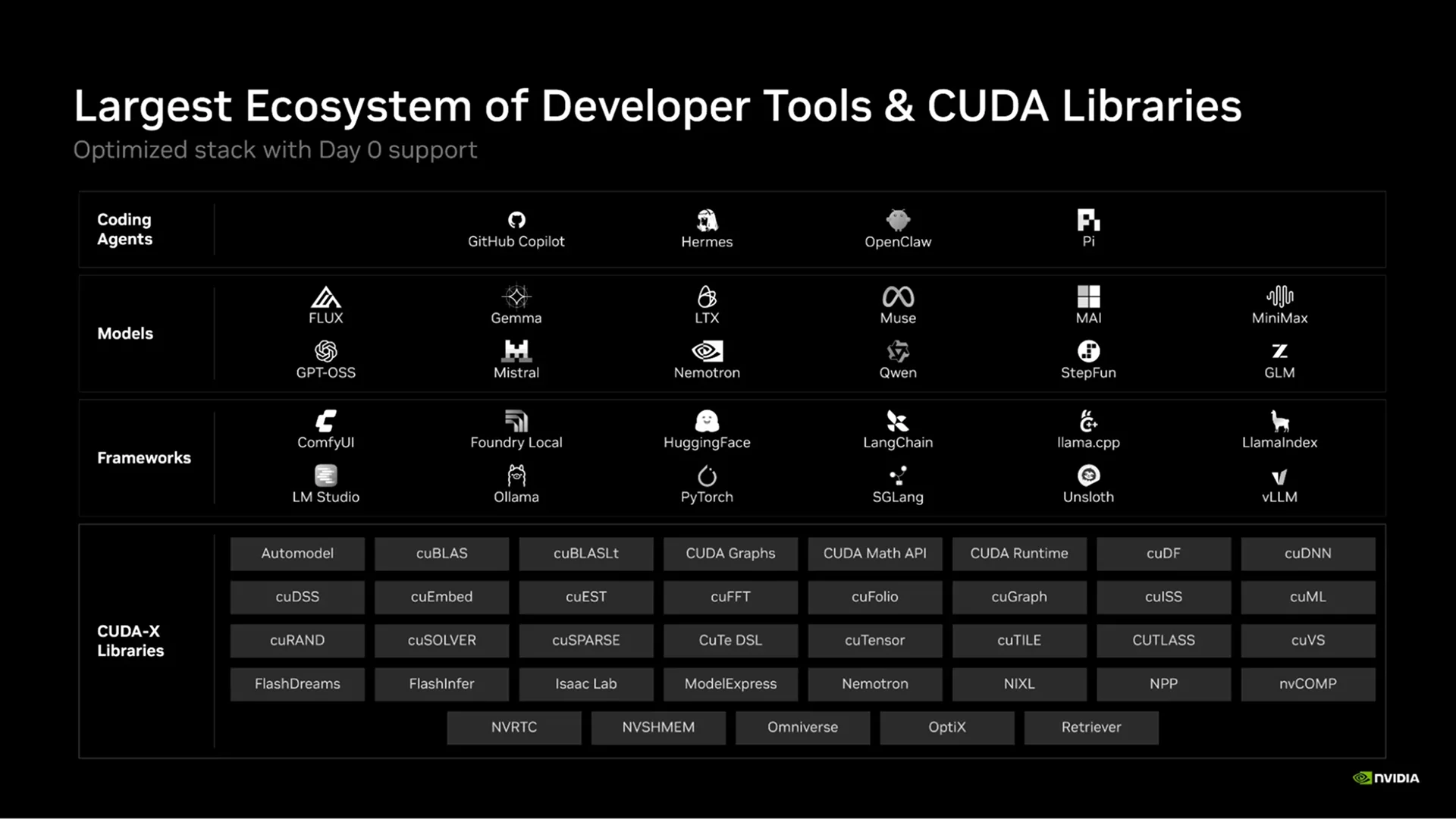
NVIDIA and Microsoft have prepared developer tools for Windows on Arm ahead of the launch. Native Python 3.15 and a PyTorch build with CUDA support are available, allowing AI model computations to run on the GPU. Conda helps install libraries, with a native installer and more than 2,000 packages ready. According to NVIDIA, compatible builds are available for more than 97% of the 15,000 popular Python packages.
Windows Developer Config simplifies development environment setup. If a project needs Linux tools, they can run inside Windows through Windows Subsystem for Linux (WSL). This allows developers to test a program with the libraries it will need on the server. AI agents can also help with development: NVIDIA Skills collects instructions for using NVIDIA’s computing tools.
The new Llama Windows application allows local models to be selected and downloaded through a graphical interface, without using the command line. If the main computer lacks resources or is busy with a project, NVIDIA PAIR can route an AI request to an available device on the local network. Each computer uses its own resources. PAIR has moved out of beta, adding RTX Spark and llama.cpp engine support, as well as model downloads from Hugging Face.
DLSS 5: changes in graphics and performance
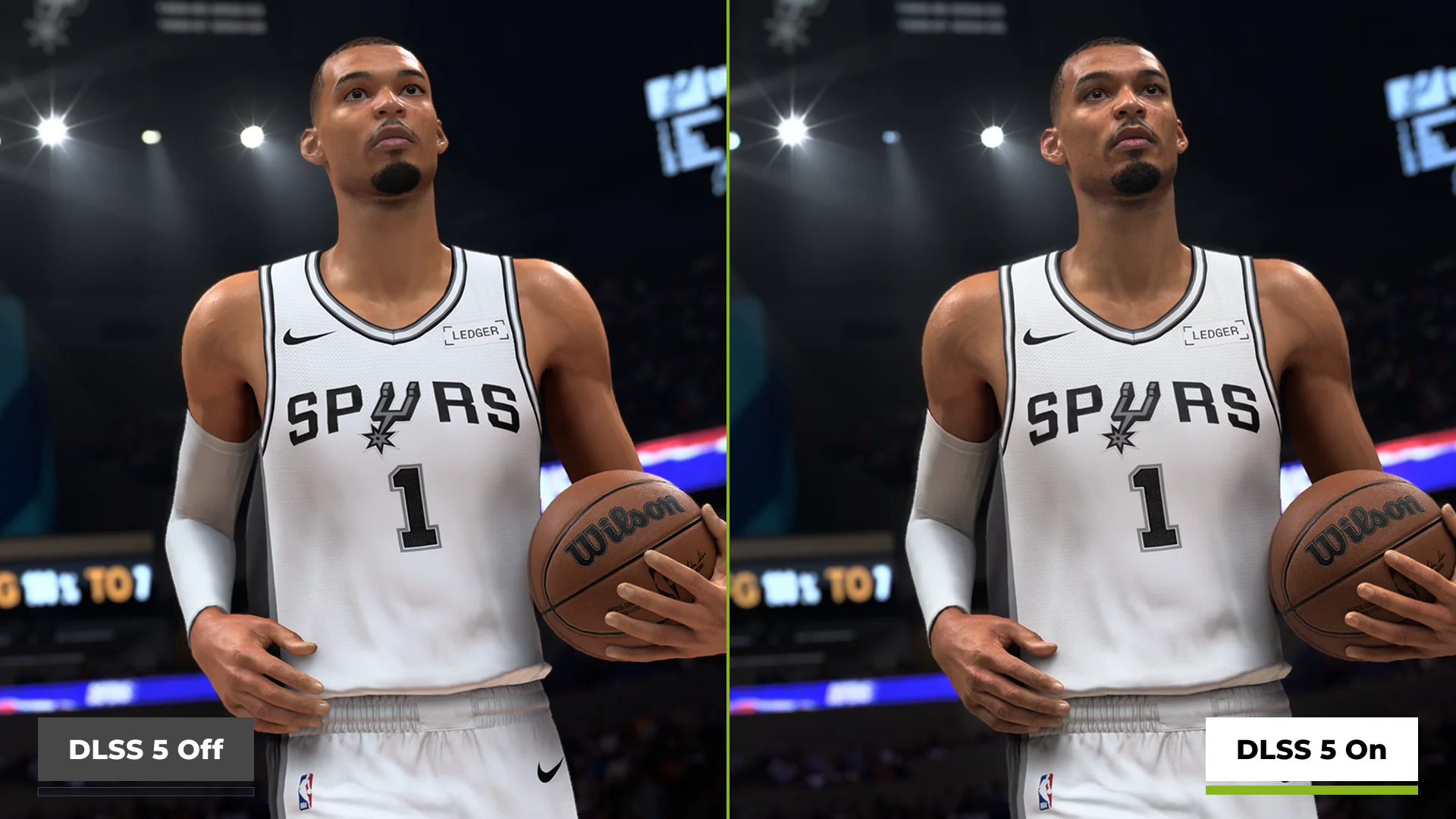
The new laptops support DLSS 5 at launch. The DLSS technology suite includes reconstructing images from lower-resolution frames, improving ray-traced results and generating additional frames. Version five introduces 3D-Guided Neural Rendering, which works on lighting and materials. Its effects can be seen in reflections, clothing textures and the lighting of a character’s skin.
For the launch, NVIDIA has released a faster AI model for this feature. According to the company, it runs twice as fast as the September version and uses 20% less video memory at 4K. In NBA 2K27, the updated model delivers frame rates up to 1.4 times those of the previous DLSS 5 version. This is a result for a specific game and cannot automatically be applied to other titles.
The NVIDIA App beta introduces Performance Mode for frame generation. It reduces the feature’s computational workload with minor trade-offs in image quality. The platform also supports Reflex to reduce input latency and G-SYNC to synchronise display refreshes with incoming frames, helping prevent screen tearing.
At launch, NVIDIA claims support for hundreds of games, including Counter-Strike 2, Dota 2, Fortnite, Marvel Rivals and War Thunder. The company continues to expand compatibility with anti-cheat systems used in online games. The launch Game Ready Driver 617.42 for RTX Spark was released on October 16.
Upcoming updates after launch
Some announced features are still to come. NVIDIA has outlined the following schedule:
Timing | Update |
October 23 | RTX Remix with DLSS 5 support |
October 23 | Nemotron 3.5 Bolt E4B 4GB for NVIDIA ACE |
Late October | Expanded Switchyard, OpenShell and MXC support in Hermes |
November 5 | DLSS 5 for Hogwarts Legacy |
November | DLSS Ray Reconstruction in Blender 5.3 |
Late November | DLSS 5 for Where Winds Meet |
One of the upcoming releases is Nemotron 3.5 Bolt E4B 4GB for NVIDIA ACE, a suite of technologies for AI game characters. Players will be able to try it in Skyrim through the SkyrimNET AI modding platform, where characters can hold conversations and react to events in the game.
RTX Remix 1.6 will also arrive on October 23 to help update the graphics of classic games. It introduces a dedicated AI tools panel for generating textures and materials without manually configuring connections between tools. Batch processing will allow multiple objects to be processed at once.
First devices and availability
The first wave includes the ASUS ProArt P14 and P16, Dell XPS 16 Creator Edition, HP OmniBook Ultra 16 and OmniBook X 14, Lenovo Yoga Pro 9n, Microsoft Surface Laptop Ultra, and MSI Prestige N16 Flip AI+. Although they share a platform, the laptops differ in their displays, cooling, construction and ports.
For example, the ProArt P14 and P16 have OLED displays with resolutions of up to 3K and 4K respectively, and refresh rates of up to 120 Hz. The MSI Prestige N16 Flip AI+ is a 2-in-1 device with a screen that folds back for tablet use. Its battery capacity is 99.9 Wh.
Before buying, check whether your applications, plugins, games and peripherals are compatible with Windows on Arm. Some x86/x64 applications run through emulation, which adapts their instructions for Arm. This may affect performance and feature availability.
In its October 17 publication, NVIDIA listed a starting price of $2,399. Prices and configurations vary by region; availability in Serbia still needs confirmation.
What makes the platform particularly interesting is the ability to work on large creative projects and run local AI on the same laptop. The first devices are already available, with some updates still to come. It remains to be seen how convenient this combination will be in everyday use. We will be following its progress.